Why Clienta
7 reasons teams choose Clienta
Sales CRM for teams that want daily work to stay simple — and no follow-up to go missing.
Teams do not buy Clienta for a feature list. They buy it so leads, customers, calls, deals and reports live in one shared flow — a professional look, a short path, and tools people actually use every day.
- No server install
- Persian UI and Jalali calendar
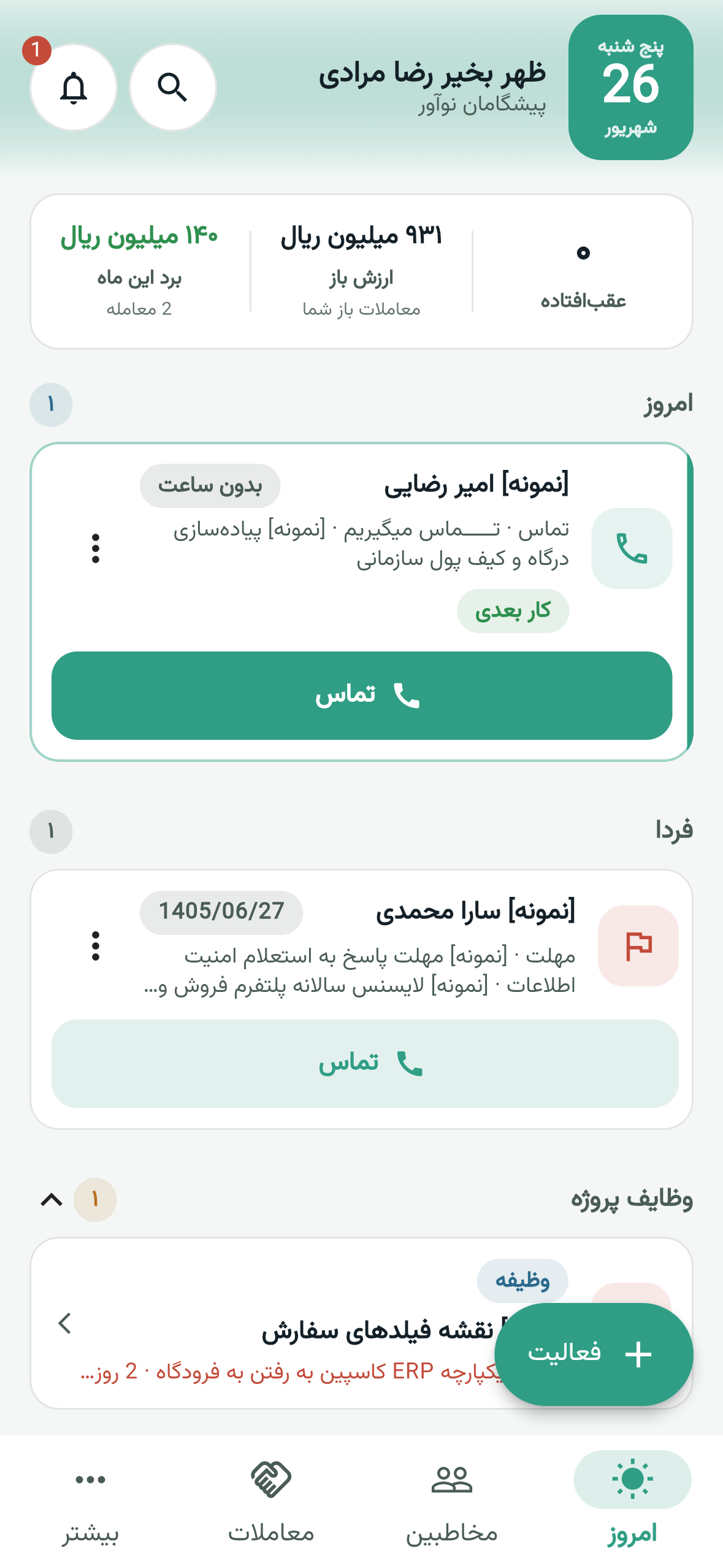
- Android and iOS apps
Seven reasons
What a sales team actually feels after a few weeks.
Each reason is backed by a real product screenshot or recording — not stock art. Tap a card to jump to that section.
- Daily work stays simple
A professional look, with a short path for daily work.
- The next action is always clear
Calls, meetings and the next promise stay on the customer record.
- Process-oriented sales automation
If-this-then-that for sales — not a multi-month BPMS project.
- Custom reports from live sales data
Custom reports and charts — multiple filters on each report.
- It connects to your systems
Your ledger, VoIP, API and webhooks.
- A real team, with controlled visibility
Roles, permission sets and visibility groups.
- Start without risk — and without installing a server
Pricing on the site; a 14-day Professional trial.
Simplicity
Daily work stays simple
A CRM only helps if reps live in it every day, not just at the kickoff. Clienta looks professional and keeps tasks like viewing the pipeline, logging a call and seeing the next step short — without the feel of a heavy enterprise suite.
- Pipeline, customer record and today’s work at a glance.
- Persian UI, RTL and Jalali calendar from day one.
- Web and mobile apps on the same account.
Follow-up
The next action is always clear
When notes live in chat and history lives in someone’s head, the team cannot tell who to call. In Clienta, calls, meetings, tasks and deal changes sit on the customer timeline — so a record does not go empty when someone is away.
- Full activity history beside every customer and deal.
- Overdue follow-up alerts on pipeline cards.
- Lead-to-deal conversion without losing history.
Automation
Process-oriented sales automation
When a deal changes stage or a follow-up slips, the next job should not depend on memory. Clienta builds if-this-then-that workflows so the sales team gets the automation they already understand — not a multi-layer enterprise process factory.
- Ready-made templates and a workflow canvas for follow-up.
- Create a task, update a field or alert at the right time.
- Automation on the same live pipeline and customer data.
Reports
Custom reports from live sales data
Forecasts and goals only mean something when they come from live deals and activities, not a separate file. In Clienta you build custom reports and charts, and put multiple filters on each report — the manager dashboard is not detached from daily sales work.
- Dashboards, sales targets and revenue forecast.
- Custom reports and custom charts.
- Multiple filters on every report, by team and stage.
Integrations
It connects to your systems
Sales should not sit apart from finance and the phone. Clienta connects to your accounting system — Sepidar and Hesabfa are common examples, not the only options. VoIP connects easily; API and webhooks are first-class so other tools stay in the same flow.
- Connect to your accounting system; official documents stay where finance works.
- Easy phone and VoIP connection — not a full contact-center suite.
- API and webhooks to integrate with other systems.
Access
A real team, with controlled visibility
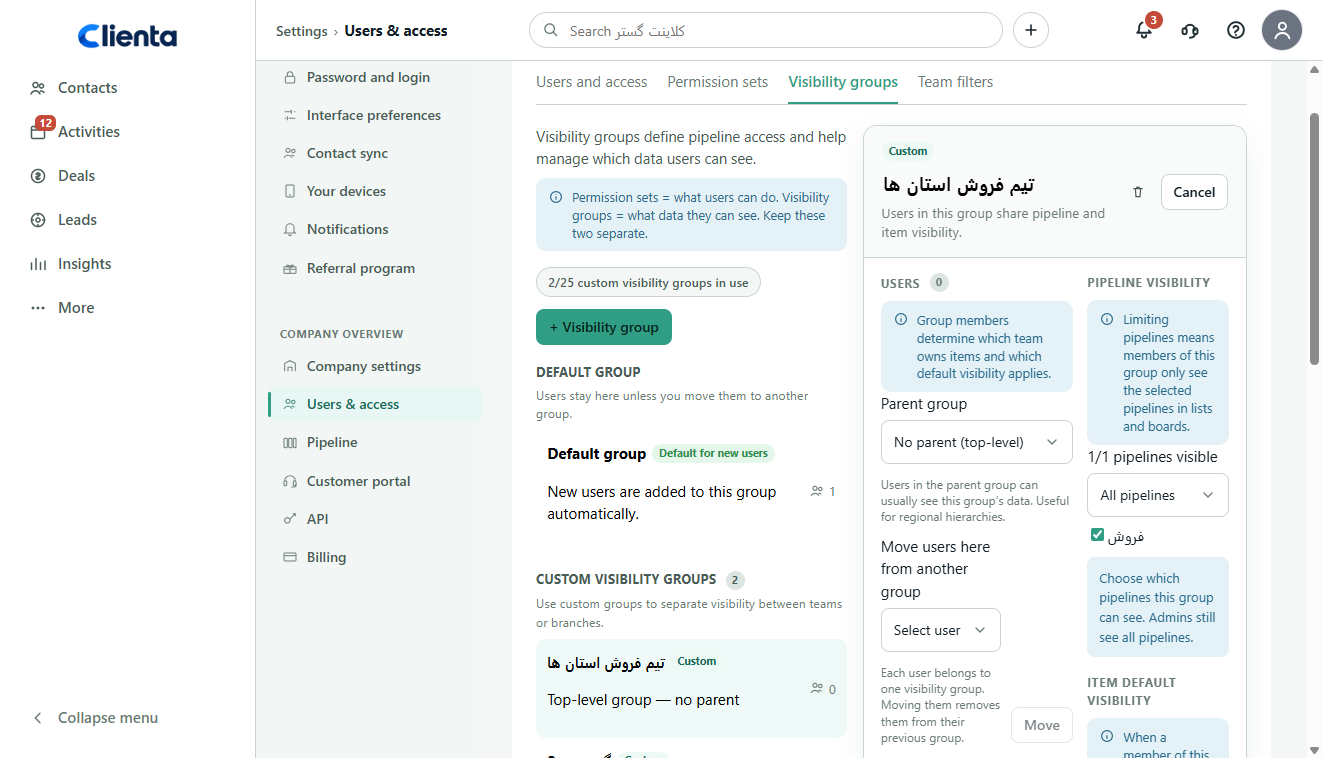
In a multi-person team, not everyone should see every deal. Clienta has roles, permission sets and visibility groups so managers get the full picture and reps only see their own records and pipeline — without a separate spreadsheet for the “limited view”.
- Roles and permission sets instead of all-or-nothing access.
- Visibility groups by branch, team or record owner.
- Built for a growing team, not only a single user.
Clarity
Start without risk — and without installing a server
Plan prices are on the pricing page; you see the real product before you buy. The 14-day free trial runs on the Professional plan, in the cloud, with no server to install. From day one you can also work outside the office in the Persian mobile app.
- Clear pricing on the pricing page — no plan hidden behind a sales call.
- 14-day free trial of the Professional plan.
- Cloud and web, with Android and iOS apps.
The company path
We started with customer relationships. Sales is the clearer continuation.
Clienta is built by Pishgaman Novavar Karoun. Since 2011 we have worked beside Iranian businesses with customer-club software; today that same experience powers the sales pipeline, follow-up and customer record.
Relationship, not just logging
Before the next call, the team should know who the customer is, what was last said and which promise is still open.
One shared source
If sales lives in one place and follow-up in another, the full picture disappears.
Close to the rep’s day
We ship what a sales team uses daily — not a heavy unused feature list.
Questions
What people usually ask before choosing Clienta.
Who is Clienta for?
Sales teams and businesses that want leads, customers, follow-up and deals in one shared system — from a few reps to several teams with separate visibility groups. If you only need a general ledger or a multi-layer enterprise contact center, Clienta is not that product; it is the sales and customer-relationship layer.
Do you have custom reports and custom charts?
Yes. Custom reports and custom charts are part of the product, and each report can have multiple filters. Dashboards and sales targets are built from the same live pipeline and activity data.
Is accounting integration only Sepidar or Hesabfa?
No. Clienta connects to your accounting system; Sepidar and Hesabfa are common examples. For other systems, API and webhooks are the integration path.
How does phone and VoIP connect?
Connecting to your phone or VoIP system is straightforward so calls stay on the customer record. This is not a full enterprise contact-center suite; the point is that a rep can log and follow a call without jumping between tools.
Is your automation an enterprise BPMS?
No. Clienta automation is process-oriented sales work: when a deal hits a stage or a follow-up slips, the next job is created. A multi-month enterprise BPMS project is not the goal of this product.
How do we start without risk?
The 14-day free trial runs on the Professional plan; no server install is required. Plan prices are on the pricing page, so you can decide with real team data before you buy. A demo can also be arranged if you want.
See how the product feels in daily work.
Try the real product for 14 days with pipeline, follow-up and mobile — or request a demo on your own process.