Leads inbox
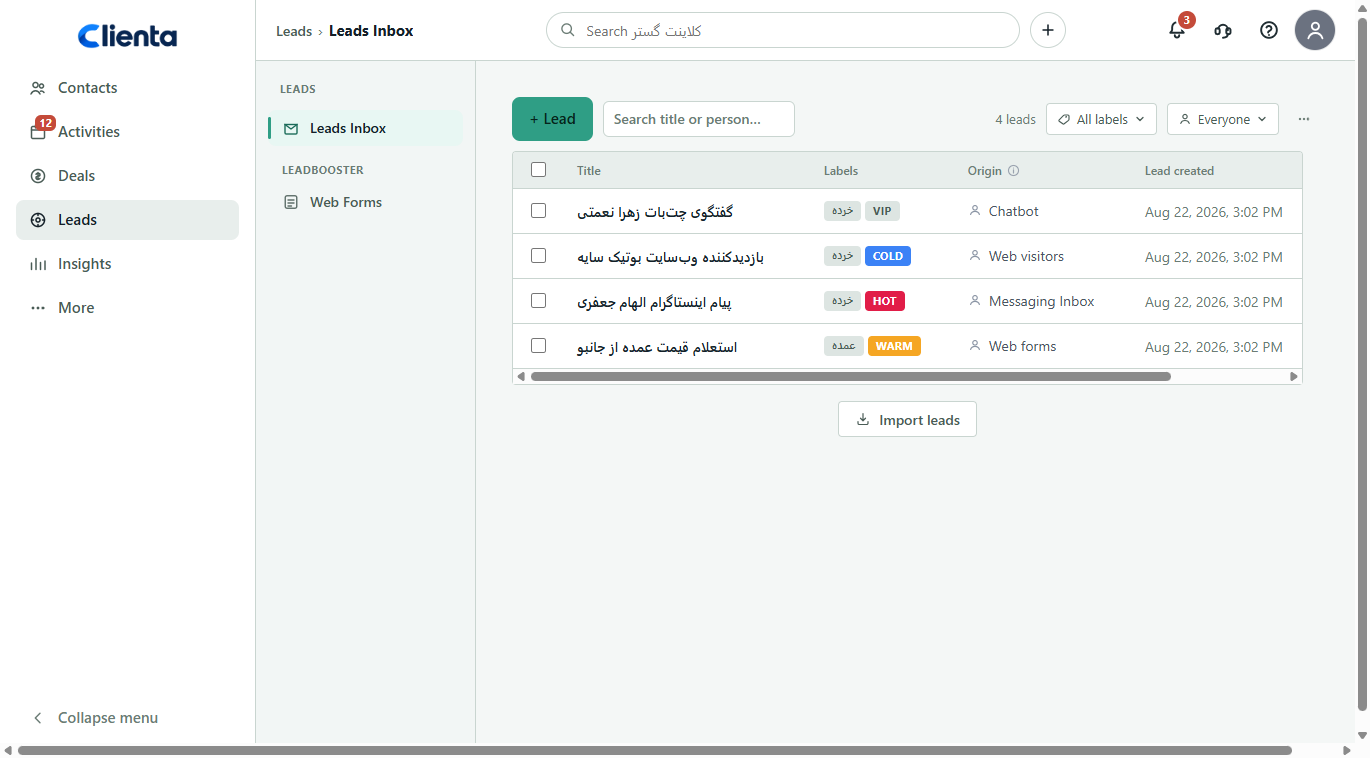
See new opportunities in a focused queue before they become deals. Search and filter by label or owner.

Clienta sales lead management
What is lead management software?
Every new lead needs care if you want prospects to become paying customers. Dump every inbound contact straight onto the pipeline and the first stage clogs — real opportunities hide among cold ones.
The Clienta leads inbox keeps inbound opportunities separate from deals. You search, qualify with labels, connect a web form to the inbox and convert only a ready lead into a deal.
What is lead management software?
Lead management means capturing inbound contacts, qualifying them and setting priority so salespeople spend time warming the best prospects — not filling the pipeline with every form and message.
Popular lead and deal management features
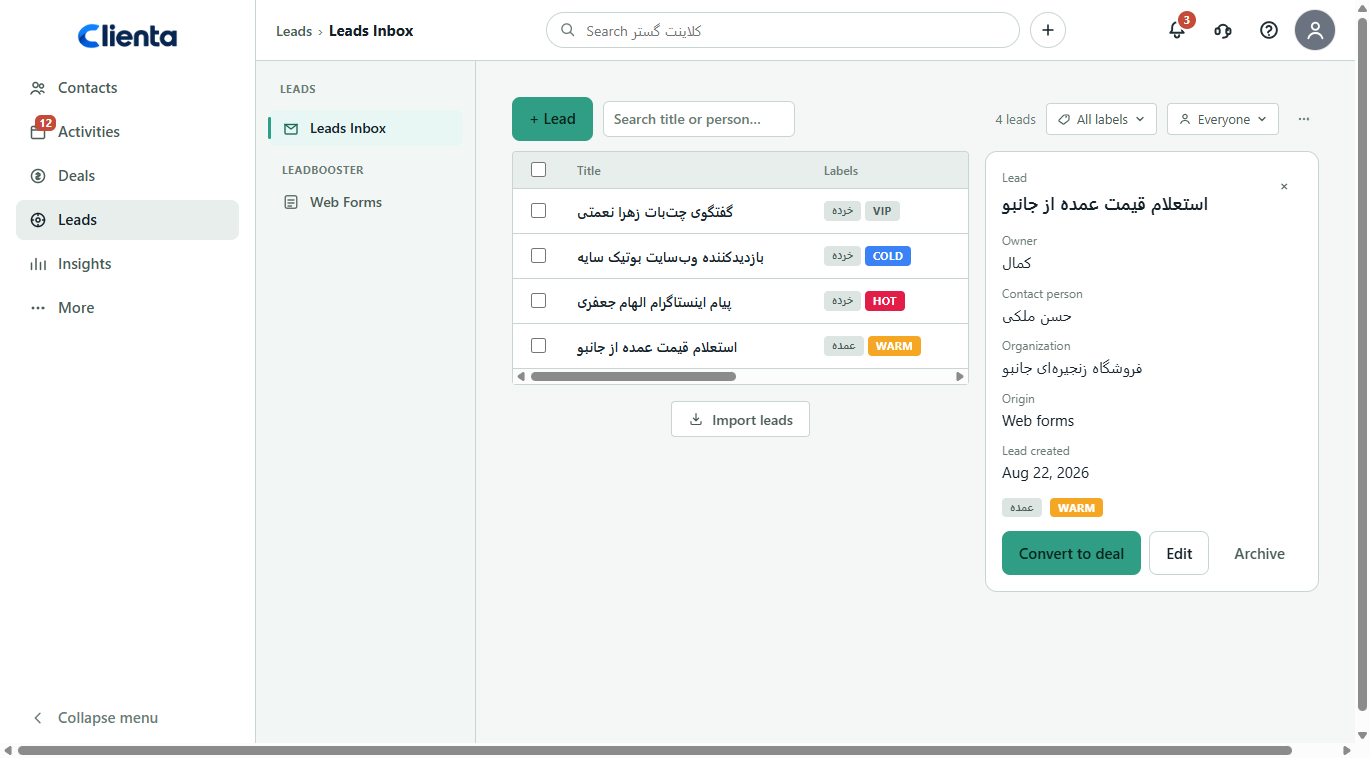
See new opportunities in a focused queue before they become deals. Search and filter by label or owner.
Mark leads hot, warm or cold — or use your own labels — so the team’s priority stays visible.
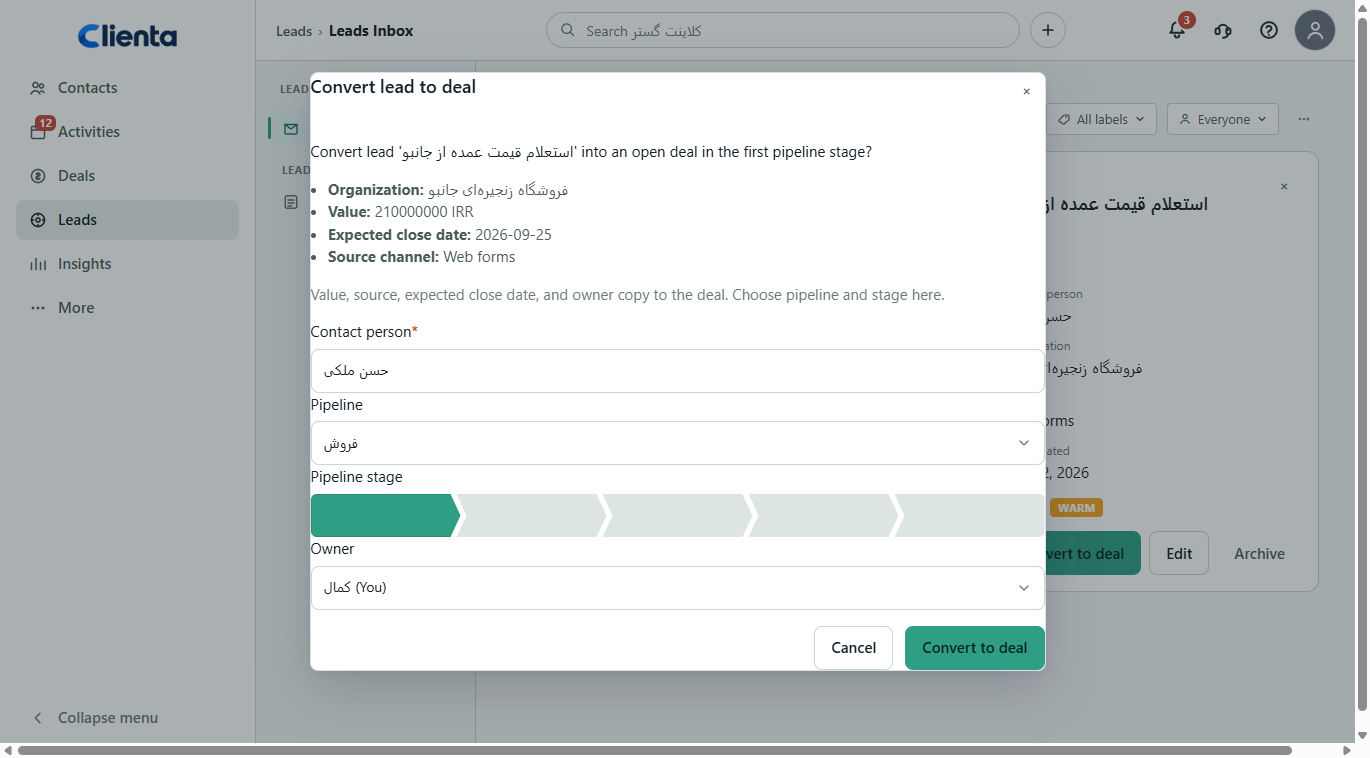
Choose the contact, pipeline and stage. Value and source move onto an open deal.
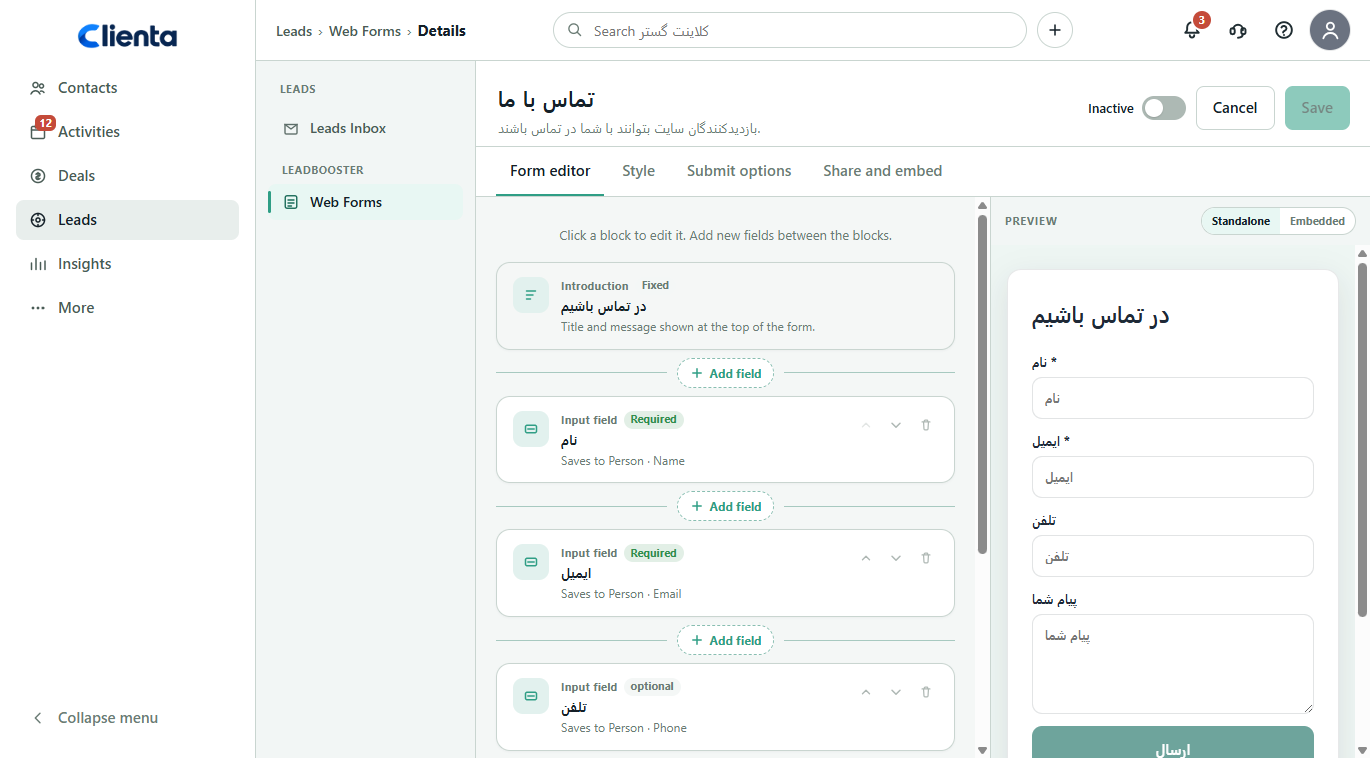
Put a form on your site or share a link; each submission creates a lead in the inbox. On eligible plans.
Bring a spreadsheet of leads in so a campaign or event is not typed in one by one.
See whether a lead came from a form, WordPress, a campaign or manual entry, and who owns follow-up.
What to look for in lead management software
If every form creates a deal, you cannot qualify, and conversion means typing the record again, lead management is just a second list.
A raw lead is not a deal. The inbox should hold it until it is ready for a sales stage.
Label, source and owner should be visible so the team knows which lead is first today.
A site submission should create the person and the lead — not ask a rep to retype the fields.
A lead without a person or organization is not ready to convert. Link the contact from the start.
Value, source and expected close date should survive conversion, or pipeline reports stay incomplete.
Software feature
Building a contact form is slow if fields are not mapped to a person and a lead. In Clienta you connect fields to the contact and the opportunity, style the form and share a link on the site or social media. On plans with web forms and WordPress.
Software feature
When a campaign runs and inbound volume jumps, the first deals column fills fast. The Clienta inbox keeps new opportunities separate so you can filter, qualify and send only ready leads to the pipeline.
From inbound to deal
Inbound records land in the inbox. You qualify, assign an owner and send only a real opportunity to the pipeline.
You create it, import a file, or — on eligible plans — a web form or WordPress submission creates it.
Attach an existing contact or create one so the lead is ready to convert.
Add labels, estimated value, source and owner, then filter the queue.
Pick the pipeline and stage. Details copy onto the deal and work continues on the board.
Software feature
When the lead is a real opportunity you should not rebuild the details on the pipeline. In Clienta you choose the contact, pipeline and stage; value, source, expected close date and owner copy onto an open deal.
Software feature
Priority only works if source, organization, owner and labels sit in one view. The lead panel shows that data so you can convert, edit or archive without leaving the queue.
One queue, three working views
Which lead is hot today, who is the contact, and can I convert it to a deal?
How full is the inbound queue, who owns follow-up, and which source brings better leads?
Does the site form create leads, or are we still typing them, and is campaign source visible in the inbox?
Leads and deals FAQ
It helps salespeople get the most from leads and prospects: capture inbound contacts, qualify, prioritize and follow up until conversion. In Clienta that happens in the leads inbox, before the opportunity becomes a full deal on the pipeline.
Leads are people or companies that have shown interest but are not yet an open deal. In Clienta you keep a lead in the inbox with a person, organization, estimated value, source and labels.
Inbound records arrive from manual entry, file import or — on eligible plans — web forms and WordPress. You filter and label, link a contact and convert when the opportunity is real.
Without a qualification queue the pipeline fills with raw inbound and selling time goes to cold leads. Lead management helps you warm the right contacts and close the cycle faster.
A contact person is required. You choose the pipeline and stage; value, source, expected close date and owner copy onto the deal, and you continue on the deals board.
Web forms and WordPress are available from the Growth plan up. On lower plans you can still create leads by hand or import a file into the inbox.
Start free for 14 days, add a few real leads, qualify one and convert it with your own data.