Delivery phase boards
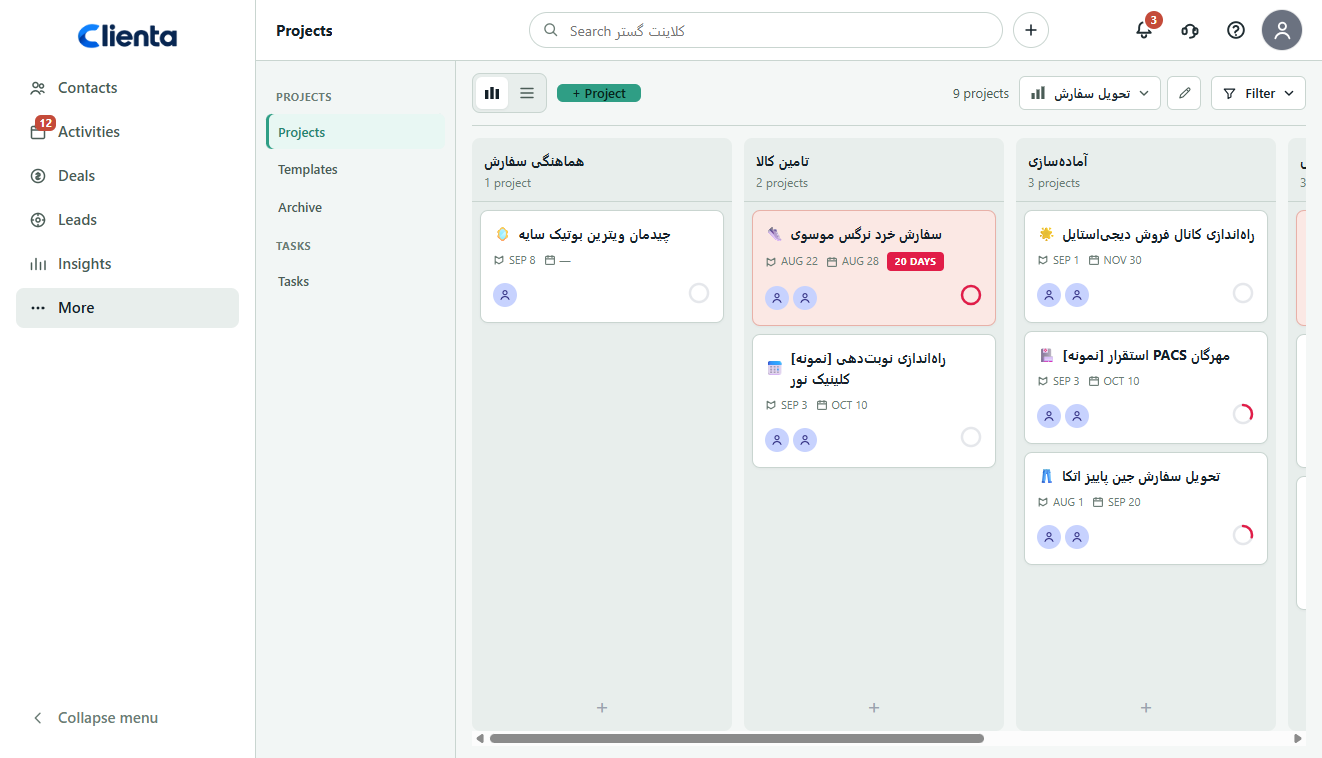
See projects on board phases, move cards forward and read progress and delays in the same view.
Clienta post-sale projects
From closed deal to delivery, without switching tools.
When sales lives in the CRM and delivery lives in a spreadsheet or a chat group, deal context is rebuilt from scratch. Delivery does not see what was promised, and sales cannot answer where the work stands.
Clienta starts the project where the deal was won. The record stays linked to the customer, organization and deal. Phases, tasks and project health sit on one board — so handover does not mean starting over.
What is CRM project management software?
A standalone project tool forces the team to rebuild context after the contract. A CRM with projects keeps sales and delivery on one record: commitments, the customer, the deal and remaining work stay together.
Clienta project management features
See projects on board phases, move cards forward and read progress and delays in the same view.
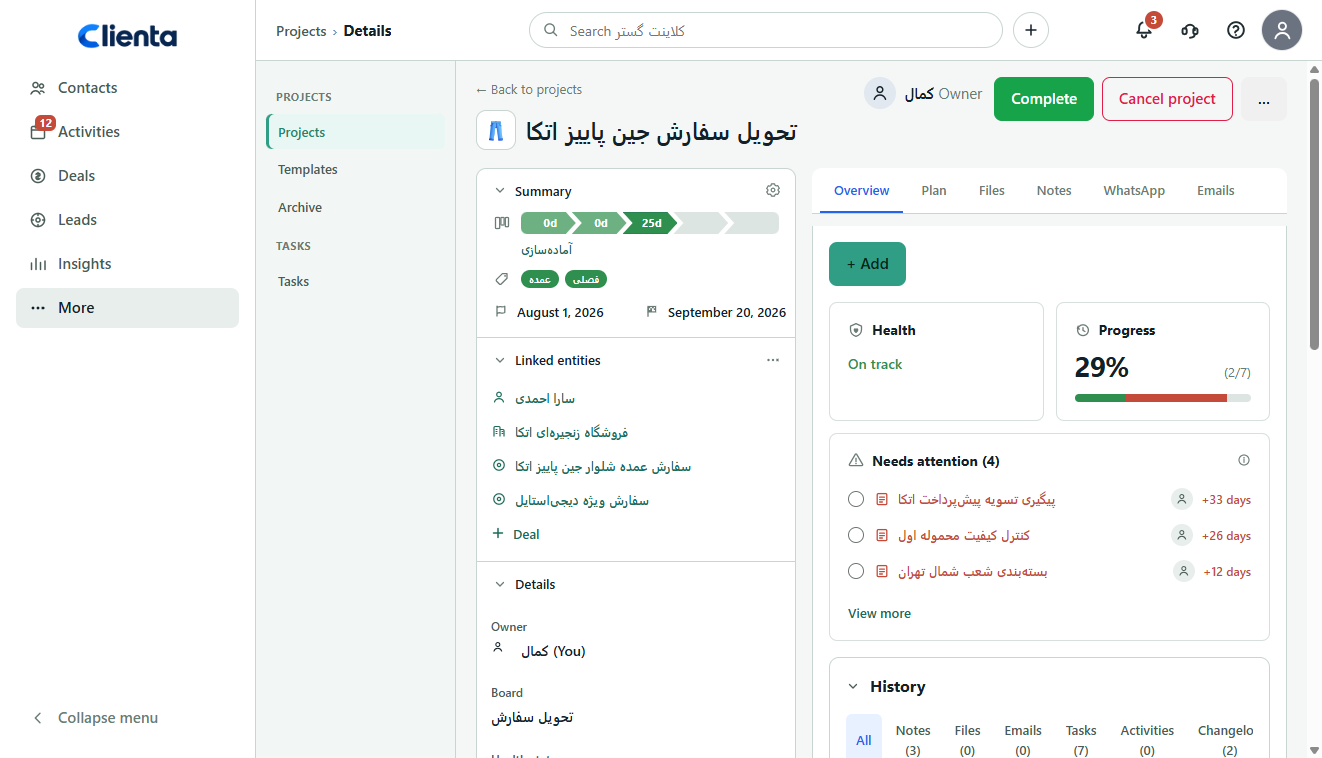
The related person, organization and deal stay in the project sidebar, so “where is this?” has an answer.
Add tasks, calendar activities and milestones per phase, with owners, due dates and dependencies.
Set on track, at risk or on hold, and open overdue or due-today work from the same record.
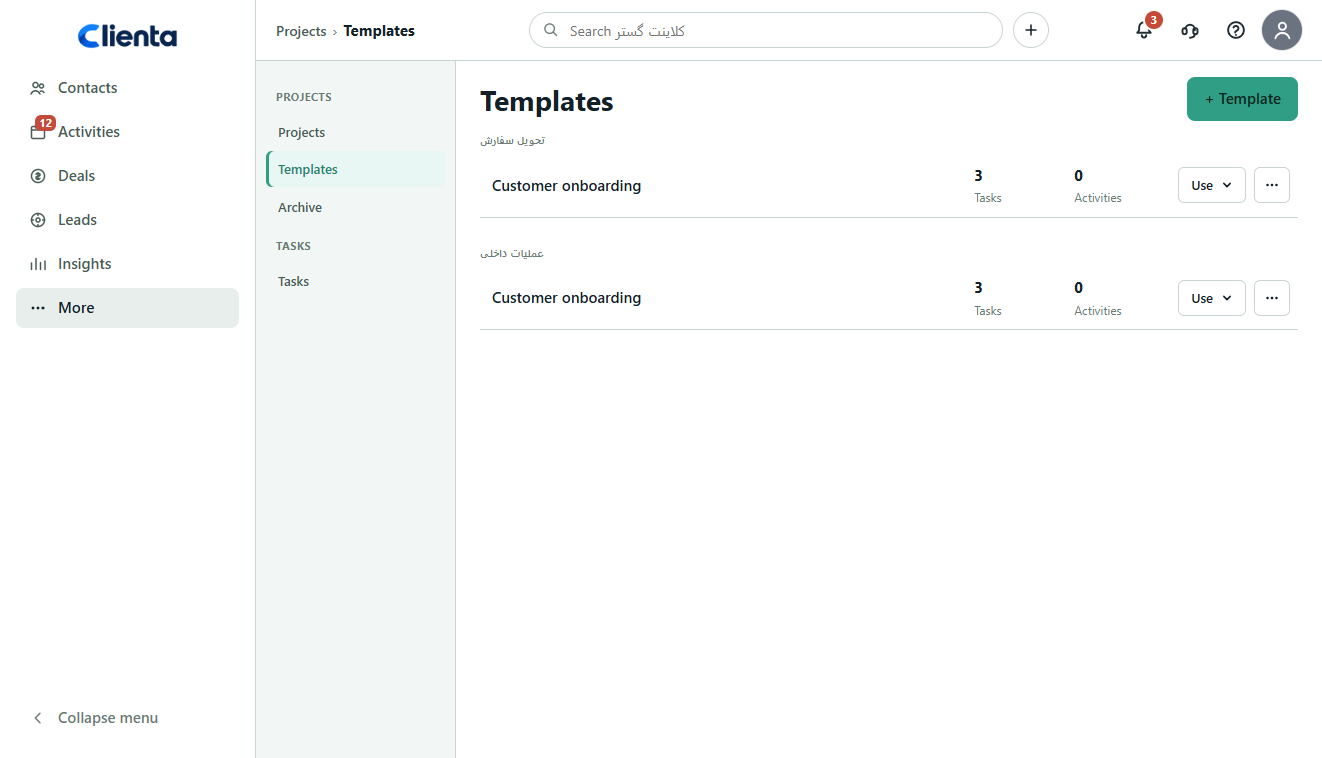
Build a starter plan or copy one from an existing project so onboarding is not invented each time.
See open work across projects with phase, due date, priority and owner in one list.
What to look for in CRM project management software
If the project is not linked to the deal, health is only a label and templates do not repeat the delivery path, the team keeps switching between CRM and a side tool.
The project should carry deal, customer and commitment context — not be rewritten in another app after a win.
Work order should be visible so blockers are obvious and sales and delivery stay coordinated.
Status only means something when it comes from due dates, task progress and overdue items.
Every contract should not invent the process. Ready phases, tasks and activities keep delivery quality stable.
Notes, files and follow-up should stay on the same record instead of spreading through chat.
Software feature
Sales growth without templates makes execution uneven. In Clienta you create a template per board, copy a plan from an existing project, and schedule task and activity dates from one start date.
Software feature
A project tool outside the CRM splits the work from the customer. Clienta boards place projects on phases such as coordination, supply, preparation and shipping so delivery managers can see what is stuck and what is overdue.
From won deal to delivery
When the deal is won, the project is created with that context. A template or a manual plan lays out the work, and the team moves it on the board.
The customer, organization, commitments and sales files are already in the CRM. You create the project from the deal, or automation creates it after a win.
Start from a ready template, or add tasks, activities and milestones on the phases and schedule due dates from the start date.
The project card changes phase, the task ring fills in, and each item has an owner.
Health and the needs-attention list warn you. After delivery, you complete or archive the project.
Software feature
Without a plan, the board is only a status view. In Clienta you add tasks, calendar activities and milestones on each phase, set owners and dates, and attach dependencies so work moves in the right order.
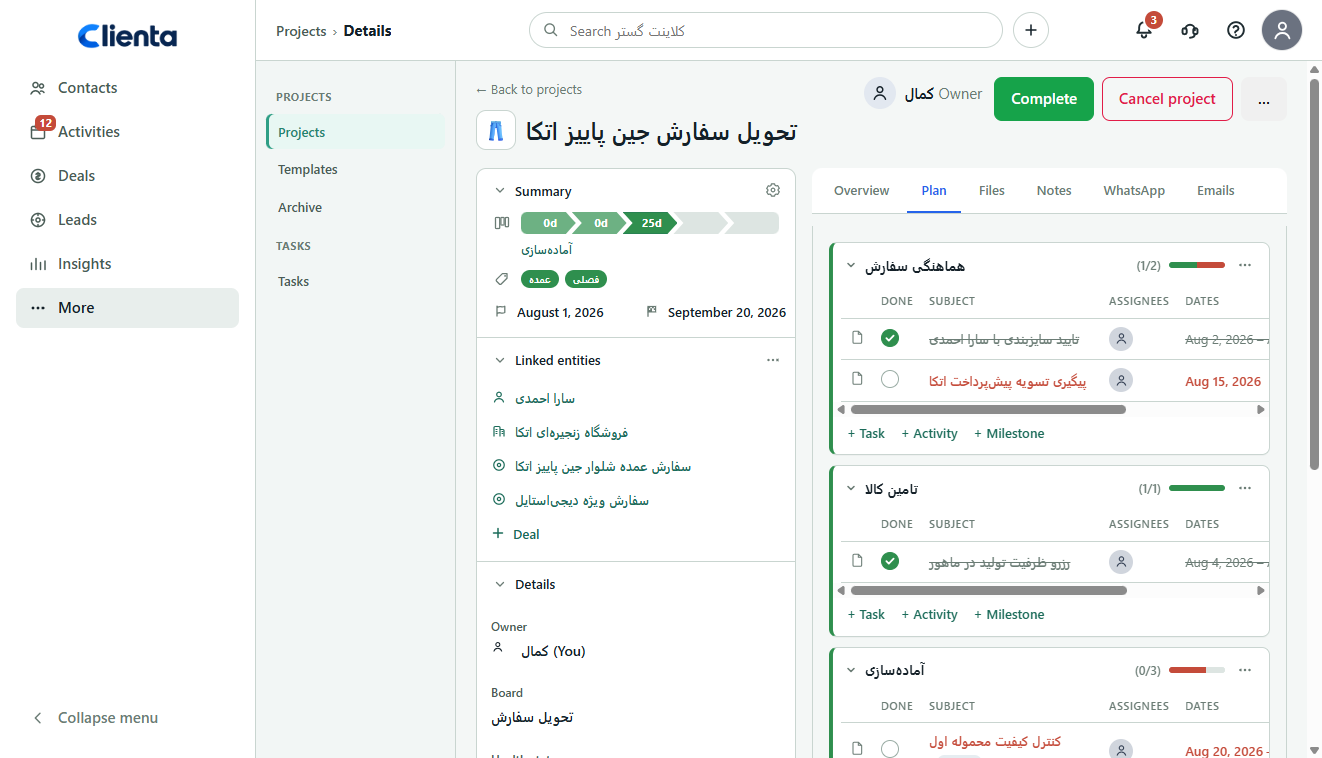
Software feature
When tasks live only inside separate records, team load is invisible. Clienta’s task queue lists open work with project, phase, due date, priority and owner so bottlenecks appear before the customer feels the delay.
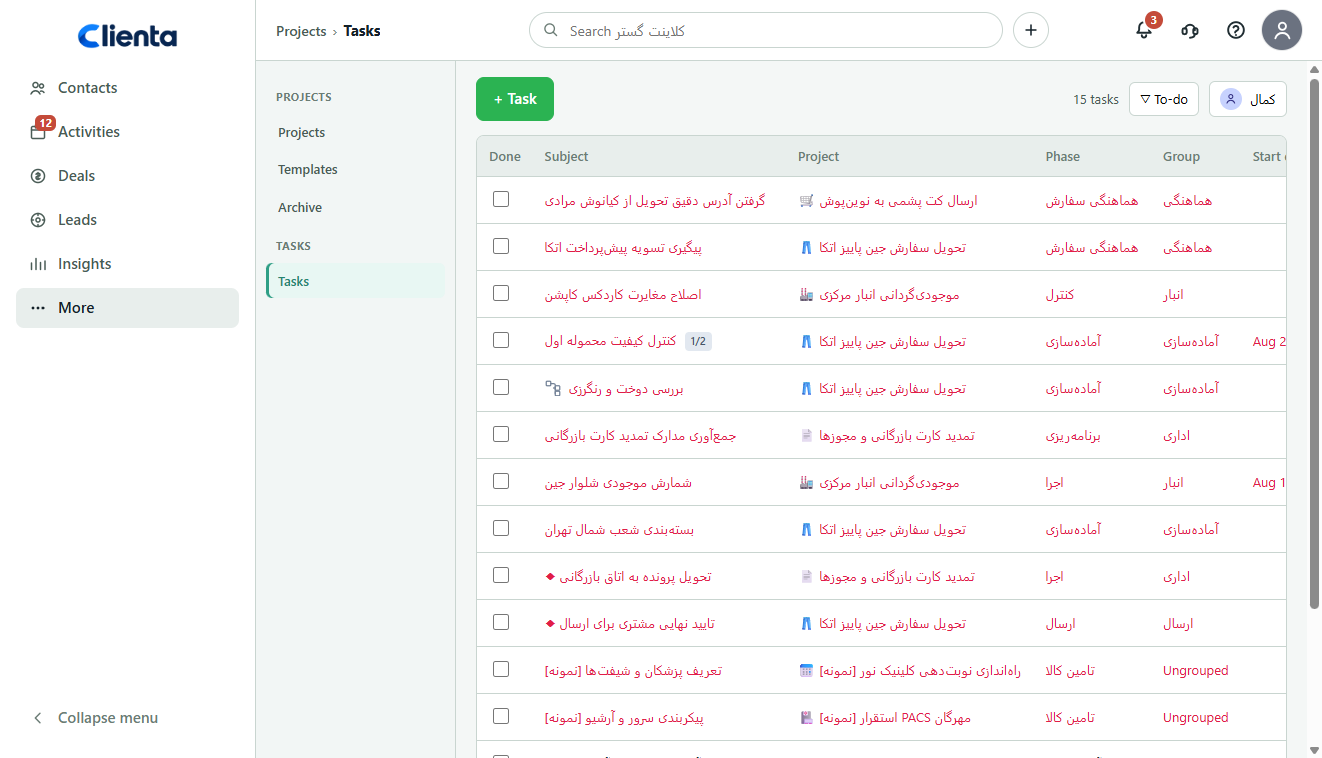
One record, three working views
Which project is off track, what is overdue and where is the team’s load piling up?
After the contract, where is the customer’s work and what promised item has not landed yet?
Is sales growth matched by delivery, or do won deals stall in execution?
Frequently asked questions
A unified workspace that keeps sales and delivery in one system. Instead of moving work into a separate tool after a deal is won, the team continues with deal history, notes, commitments and the customer already in place. That shortens handover and starts delivery where sales left off.
Pick a product that closes the gap from “deal won” to “delivery started” without a manual handover. Task tracking alone is not enough — delivery should stay tied to revenue and customer context. Look for deal-to-project handover, shared visibility and project health so the team executes what was sold.
Continuity. The team moves from sale to delivery without losing context or switching tools. That creates one source of truth for the team and the client, removes the need to rewrite a project brief, and lets you standardize delivery with templates and automation as you grow.
Support for the full path from sale to delivery: creating a project from a deal, phase boards, a plan with tasks, milestones and dependencies, collaboration on the same record, and health plus overdue work so progress stays connected to revenue.
Projects live on a phase board and stay linked to a person, organization and deal. You build the plan by hand or from a template, watch health and needs-attention on the record, and follow open work across projects in the task queue. On eligible plans, automation can create a project when a deal is won.
It depends on the plan and team size. A standalone tool can look cheaper, but split sales and delivery usually add rework. In Clienta, post-sale projects are on the Premium plan, and you can evaluate with a 14-day free trial on real work.
Start free for 14 days, turn a won deal into a project, and test the phase board against your team’s real delivery.