Flexible workflows
Automate the next task, a field update or a notification when a deal, lead or activity changes.
Clienta sales automation
Scale the sales process without scaling the admin.
As the team grows, manual follow-ups, assignments and deal updates take time away from selling and make consistent execution harder.
Clienta automates repetitive steps across the pipeline — from creating the next activity when a stage changes to opening a project when a deal is won. Opportunities keep moving while reps focus on the conversations that close.
What is sales automation software?
Sales automation software handles repetitive work such as follow-ups, record updates and notifications using workflows, rules and customer data. Instead of relying on each rep to remember every step, the action runs when a deal or activity changes.
Clienta sales automation features
Automate the next task, a field update or a notification when a deal, lead or activity changes.
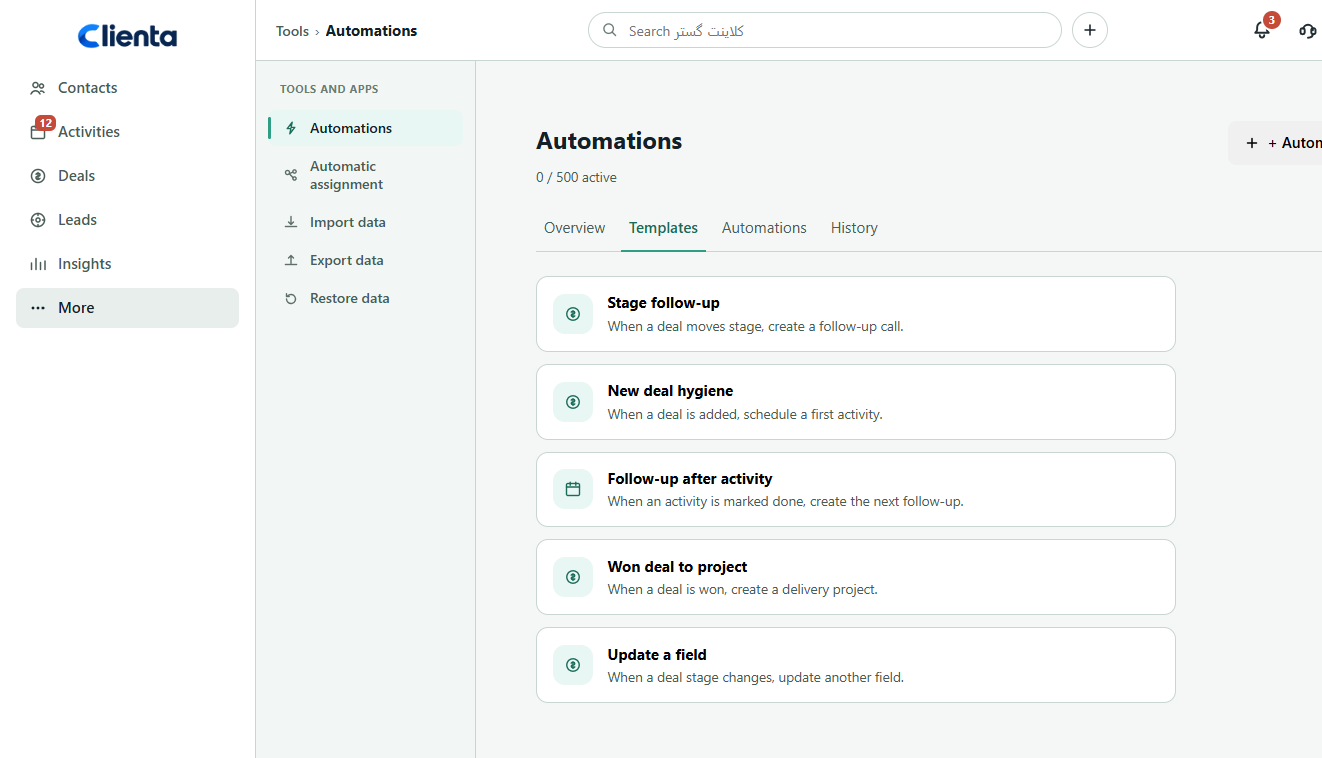
Start from a template or place triggers and steps on the canvas without an IT project.
The workflow runs on the same deal, person and activity data — no parallel tool.
Stop when a condition fails, or split into if / else paths.
Send an SMS or call a webhook so existing tools stay in the same flow.
See when each automation ran, waited or stopped, then adjust it.
What to look for in sales automation software
If workflows are hard to build, sit outside the CRM and cannot be inspected, automation becomes a forgotten setting.
You should automate assignments, updates, activities and follow-ups from real deal or lead events.
Templates and a visual canvas let a sales manager change the flow themselves.
The workflow should stay on the customer and deal record, not rebuild the data in another app.
Not every event should fire everything. Fields, status and split paths need to be explicit.
You should see how many automations are active, how runs performed and adjust as the team grows.
Software feature
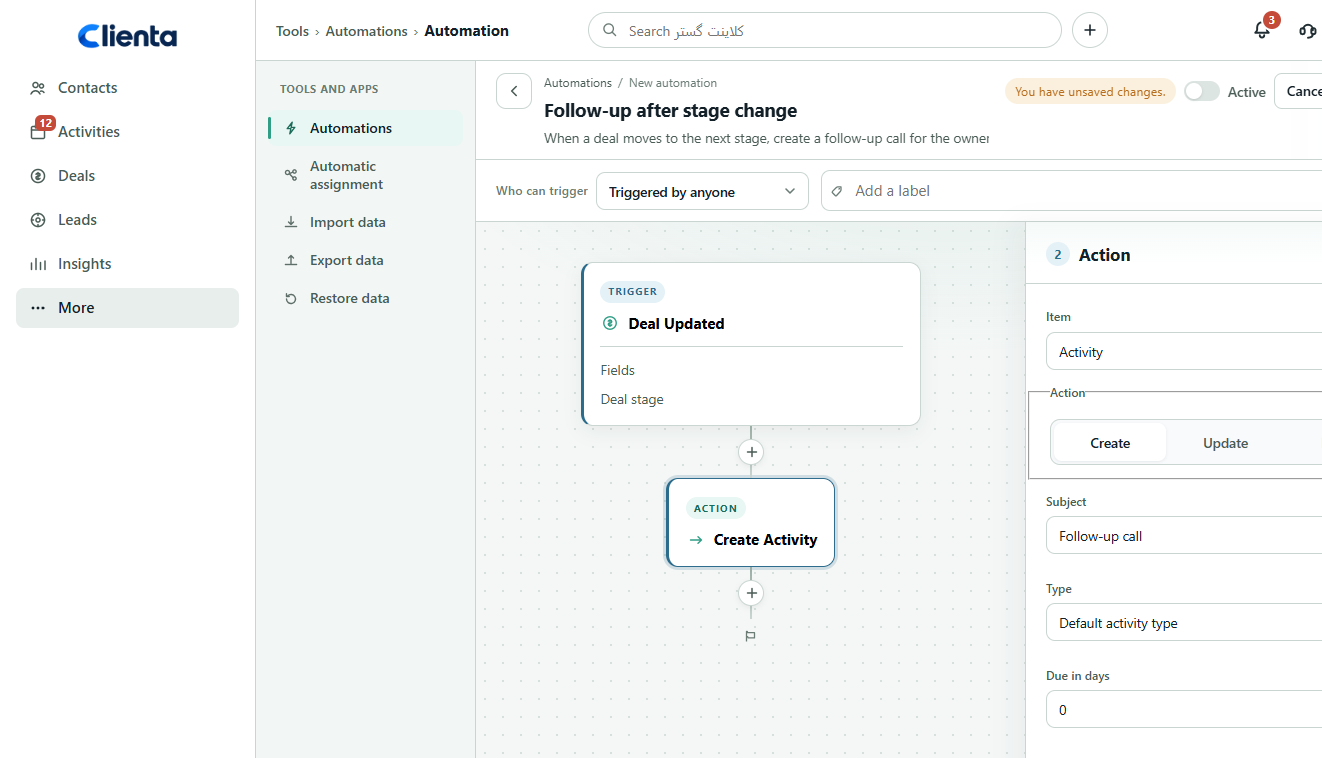
Manual checklists get forgotten. On the Clienta canvas you set an event trigger, open the action and define the activity subject, type, due date and assignee — linked to the same deal and person on the trigger.
Software feature
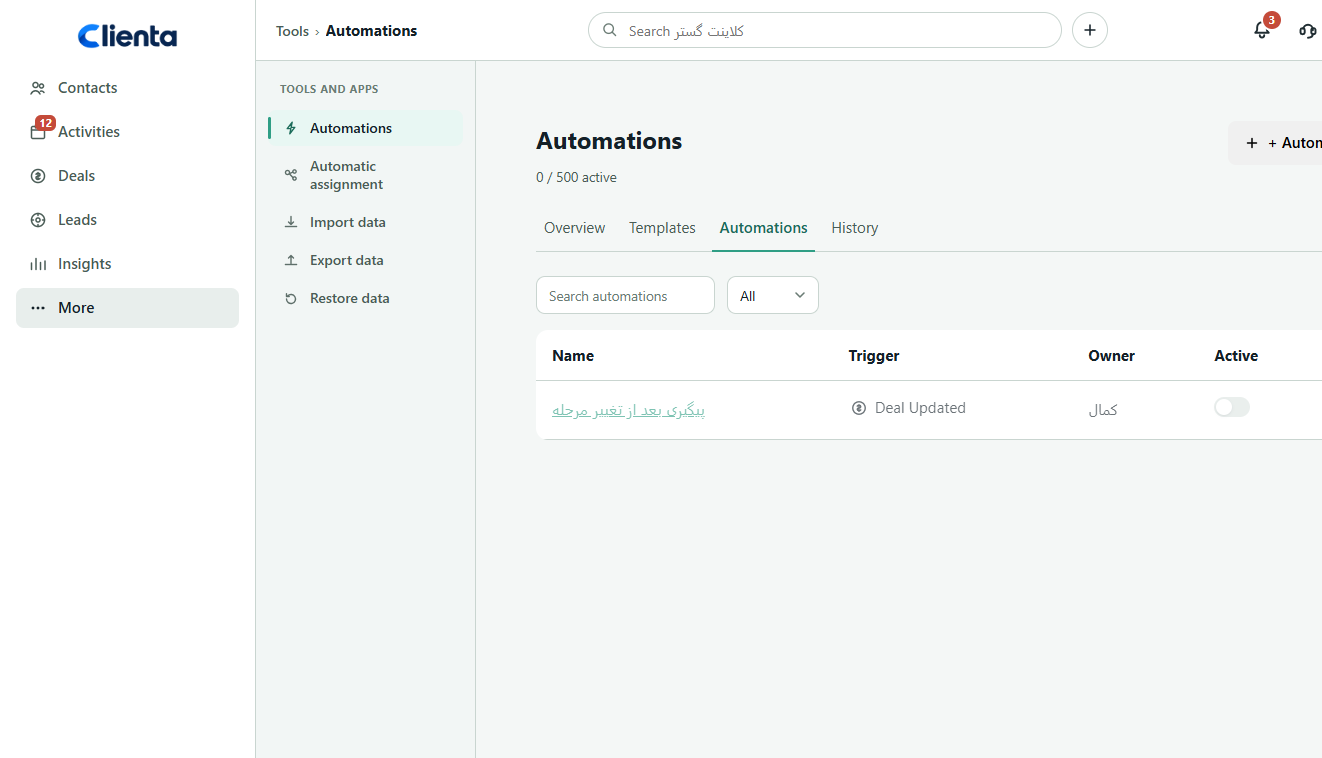
When several workflows run at once, you need to know which is on, what the trigger is and who owns it. In Clienta you filter the list, switch automations on or off, or transfer ownership.
From event to action
An event in daily work starts the workflow. You add a condition, define the action and the next step is created without a manual checklist.
A deal is added, a stage changes, a deal is won or lost, or an activity is marked done.
Run only when a watched field changes, split the path, or wait a few hours.
An activity, project, note, field update, SMS or webhook — on the same trigger record.
The automation stays in the list, the plan cap is visible and history shows what ran.
Software feature
Several live deals make timely follow-up hard. After a trigger you can add a condition, wait or the next action so opportunities keep moving without losing the personal touch.
Software feature
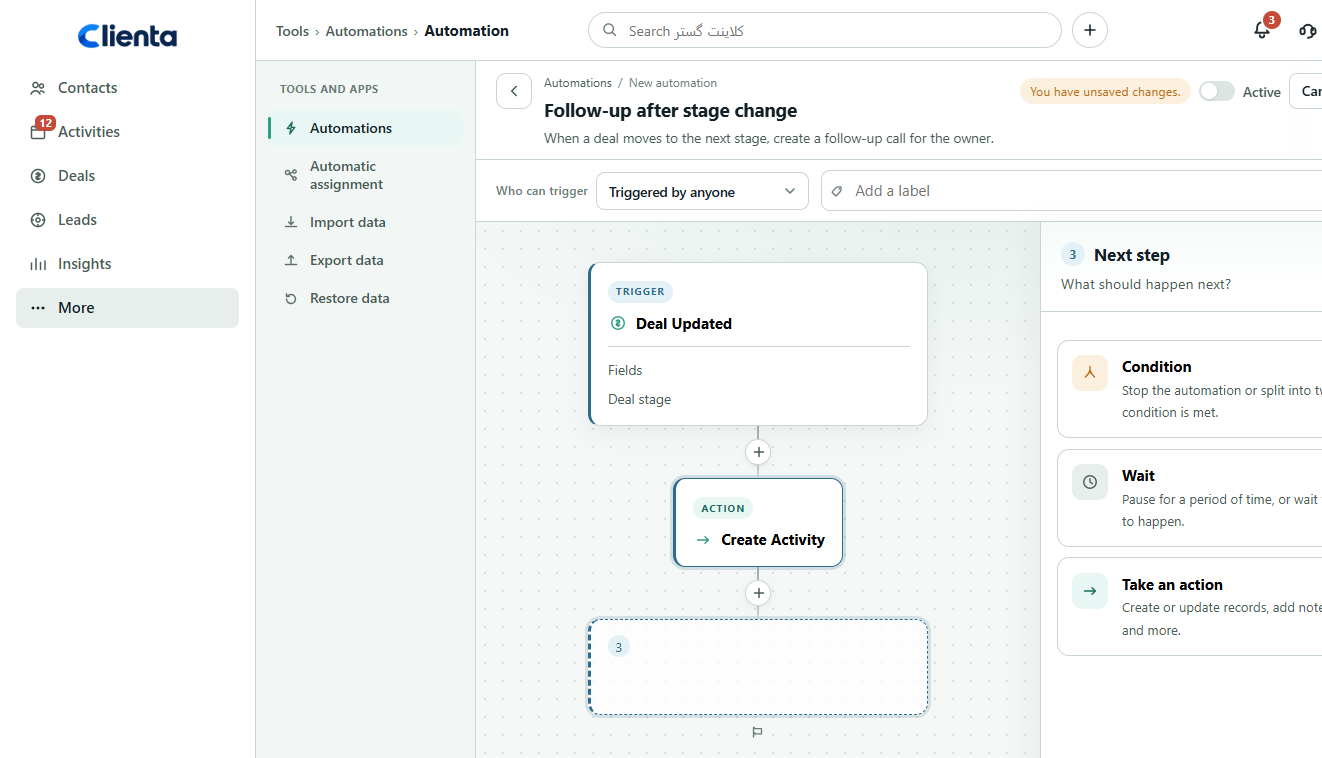
Building every workflow from scratch is slow. Templates such as stage follow-up, new deal hygiene, follow-up after activity, won deal to project and field update give you a starting point.
One flow, three working views
When the stage changes, is the next task created — or do I still have to remember to call?
Do all opportunities follow the same follow-up rule, and which workflows actually run?
How do we create a project or notification after a win without a spreadsheet or a chat group?
Frequently asked questions
It handles repetitive sales work such as follow-ups, deal updates, task assignment and notifications using workflows, rules and customer data. Instead of every step being manual, the action runs as the opportunity moves through the process. In Clienta you place an event trigger, conditions, waits and actions on the canvas.
Creating and updating deals, leads, activities, people, organizations, projects and tasks; adding notes; sending SMS; and calling a webhook. Common setups include a follow-up call after a stage change, a first activity on a new deal, the next follow-up when an activity is done, and a project after a won deal.
Templates such as stage follow-up or new deal hygiene already include the trigger and first action. You adjust the activity subject, type and assignee, then save. A custom workflow is built on the same canvas by adding a condition, wait or action.
Yes. A webhook action posts the CRM event to another system, and an SMS action uses a provider connected in the marketplace. The workflow itself stays in the CRM so deal and customer data are not copied into a side tool.
Yes. Triggers such as a deal stage update, a new deal or a completed activity can create a call, meeting or task and assign it to the deal owner. Conditions and waits keep the follow-up from firing on every minor edit.
Growth and above. Active automation caps are 150 on Growth, 250 on Premium and 500 on Ultimate. Lite does not include automations. See the pricing page for details.
Start free for 14 days, turn on a stage-follow-up template and watch the next task appear when a deal moves.