Clienta
Clienta
A sales CRM for teams that want pipeline, activities, email, automation and reporting without jumping to the most expensive plan. VoIP and caller ID are set up for any workspace that needs them.

CRM comparison
If you are choosing between Clienta and Didar, this page makes price, pipeline and feature differences explicit.
Clienta is a sales CRM: leads, deals, follow-ups and reports stay in one simple flow so the team knows who to work today. Didar is a well-known Iranian cloud CRM and a familiar choice for teams that want a simple pipeline.
The real gap is rarely “who has more features on a brochure”. It is which sales-critical tools unlock on the plan you will actually buy, and how smooth the salesperson’s day stays. The table below uses Clienta’s published product and Didar’s public tariff.
Clienta
Clienta
A sales CRM for teams that want pipeline, activities, email, automation and reporting without jumping to the most expensive plan. VoIP and caller ID are set up for any workspace that needs them.
Didar
Didar
A popular Iranian cloud CRM focused on a simple pipeline, invoicing, a built-in SMS panel and telephony. Advanced tools such as workflow automation, webhooks and a customer portal sit on the Pioneer plan.
Comparison table
This table puts both CRMs side by side so you can see which capability is on the everyday plan and which is locked behind a higher tier.
| CRM capability | Clienta | Didar |
|---|---|---|
| Getting started | ||
| Free trial | 14 days, Professional plan | 15 days |
| Persian UI and Jalali calendar | ✓ | ✓ |
| Native Android and iOS apps | ✓ | ✓ |
| Cloud, no server install | ✓ | ✓ |
| Sales management | ||
| Sales pipeline | ✓ | ✓ |
| Dedicated pipelines | Not capped on current plans | 2 on Advanced, 5 on Professional, unlimited on Pioneer |
| Product catalog | All plans | All plans |
| Quotes and invoices | All plans | All plans |
| Lead and deal management | ✓ | ✓ |
| Stale / no-follow-up deal alerts | On cards and today’s work | From Professional |
| Revenue forecast | From Growth | From Professional |
| Automation and customization | ||
| Sales workflow automation | From Growth | Pioneer only |
| Webhooks | In the integrations marketplace | Pioneer only |
| Custom fields | 30–500, by plan | 30 / 100 / unlimited |
| Custom dashboards and reports | From Professional | BI on Pioneer |
| Sales goals | From Professional | Paid plans; team goals from Professional |
| Customer communication | ||
| Full interaction timeline | From Growth | Activities and notes on the record |
| Two-way email sync | From Growth | MailerLite and Sender from Professional |
| SMS | Iranian SMS providers via marketplace | Built-in SMS panel |
| VoIP and caller ID | Set up for any workspace that needs it | ✓ |
| Integrations | ||
| Web forms and WordPress | From Growth | Gravity Forms on plans; free plugin on Pioneer |
| WooCommerce | ✓ | On plans; free on Pioneer |
| Accounting (Sepidar / Hesabfa) | ✓ | ✓ |
| Open API | ✓ | API keys from Advanced |
| After sales | ||
| Project management after a won deal | From Professional | From Professional |
| Customer portal and tickets | From Professional | Free on Pioneer |
| Access and security | ||
| Visibility groups | Custom from Professional | 1 group on Advanced, 3 levels on Professional |
| Roles and permission sets | Custom from Professional | 2 roles on Advanced, 4 on Professional |
| Custom teams | From Professional | From Professional (3 teams) |
| Support | ||
| Persian-language support | ✓ | ✓ |
| Phone support | From Professional | Extended on Pioneer |
Comparison updated September 2026, based on Clienta’s product and Didar’s public tariff.
CRM pricing comparison
Both products are priced per user. Didar figures come from the public annual tariff and list VAT separately. Clienta figures are monthly rates billed annually.
Growth: 520,000 toman / user / month
Advanced: 832,200 toman / user / month + VAT
Professional: 740,000 toman / user / month
Professional: 1,029,300 toman / user / month + VAT
Ultimate: 1,120,000 toman / user / month — automation from Growth
Pioneer: 1,577,800 toman / user / month + VAT — automation on this plan
Plans are not one-to-one. These rows pair the closest everyday feature levels: Growth vs Advanced, Professional vs Professional, Ultimate vs Pioneer. Didar pricing source: didar.me/tariff
What it feels like day to day
Sales pipeline
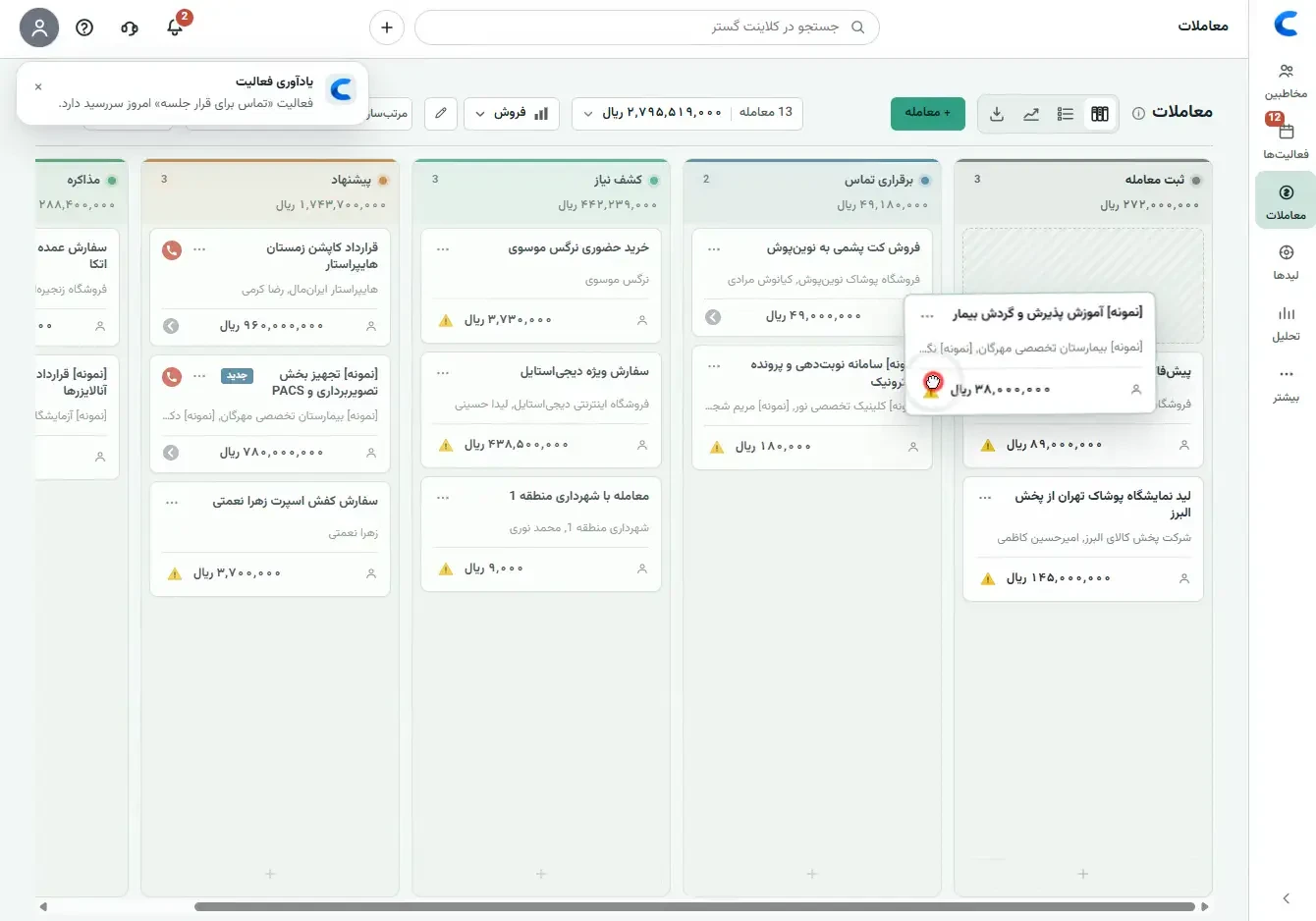
Both products have a pipeline. In Clienta, stage value, the next activity and overdue follow-ups sit on the same board — you should not need a separate report to see which deal is stuck today.
Automation
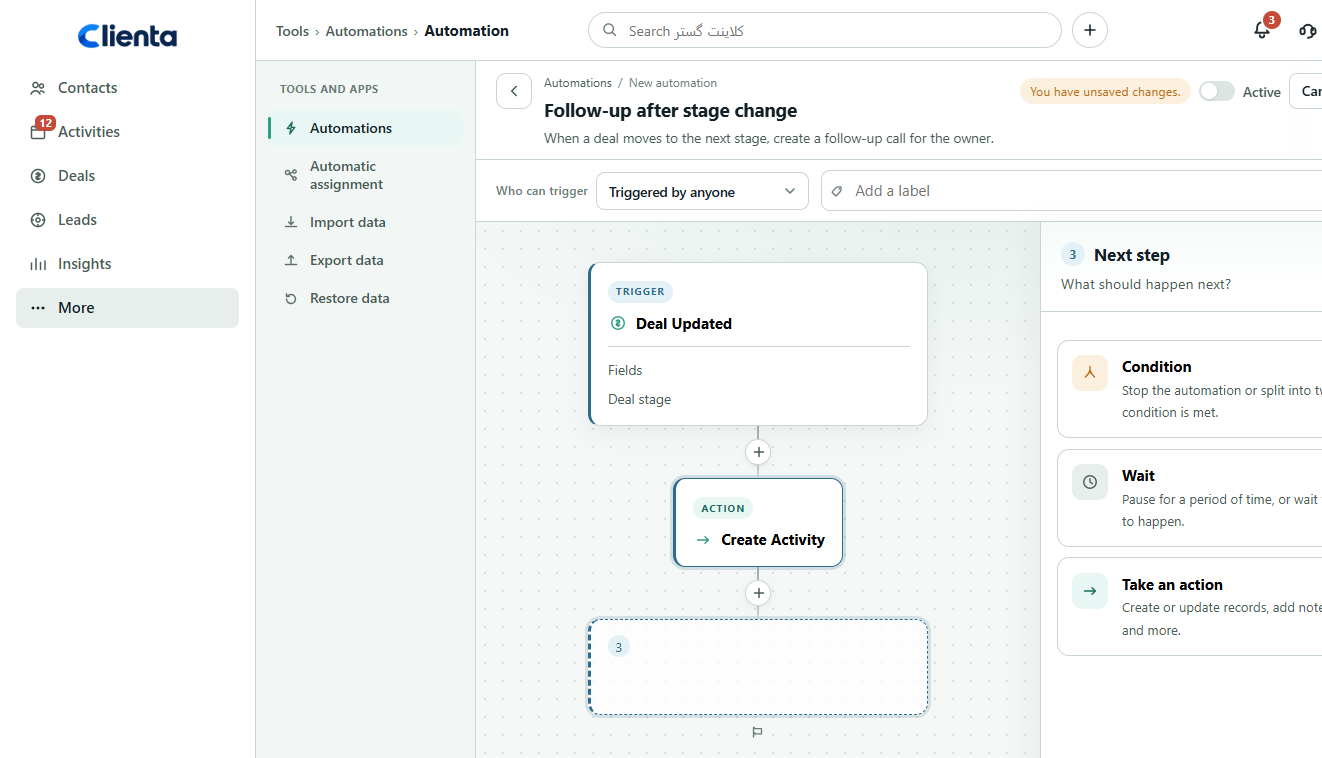
On Didar’s public tariff, workflow automation, event-based SMS and webhooks sit on Pioneer. Clienta turns on activity creation, assignment and pipeline workflows from Growth, so a growing team does not have to buy the top tier just to drop repetitive work.
Customer record
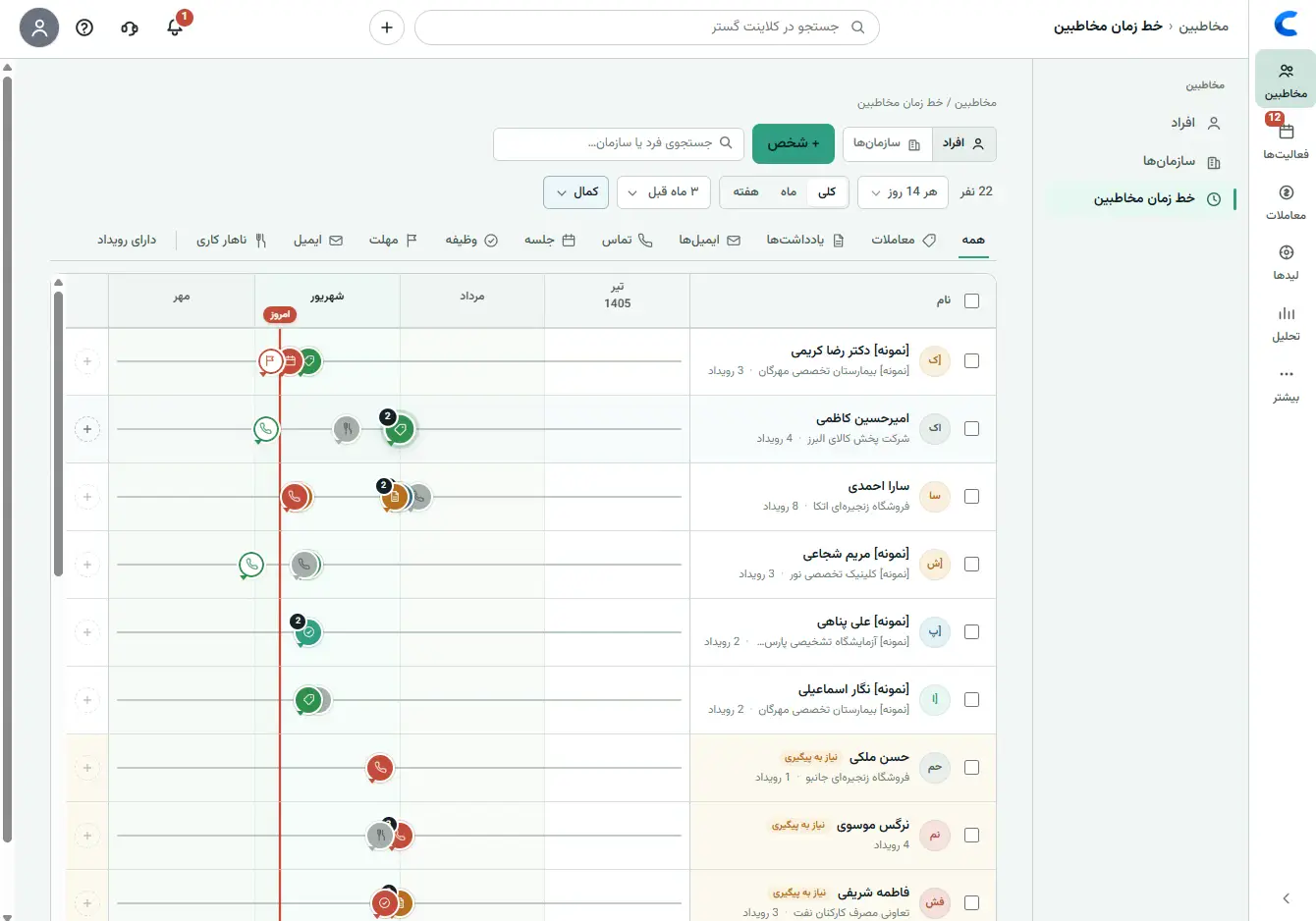
If conversations scatter across email, WhatsApp and notes, the salesperson rebuilds the file from memory. Clienta’s Growth plan adds a contact timeline and two-way email sync. VoIP and caller ID are enabled for any workspace that wants them, so inbound calls land on the same customer record.
Sales reports
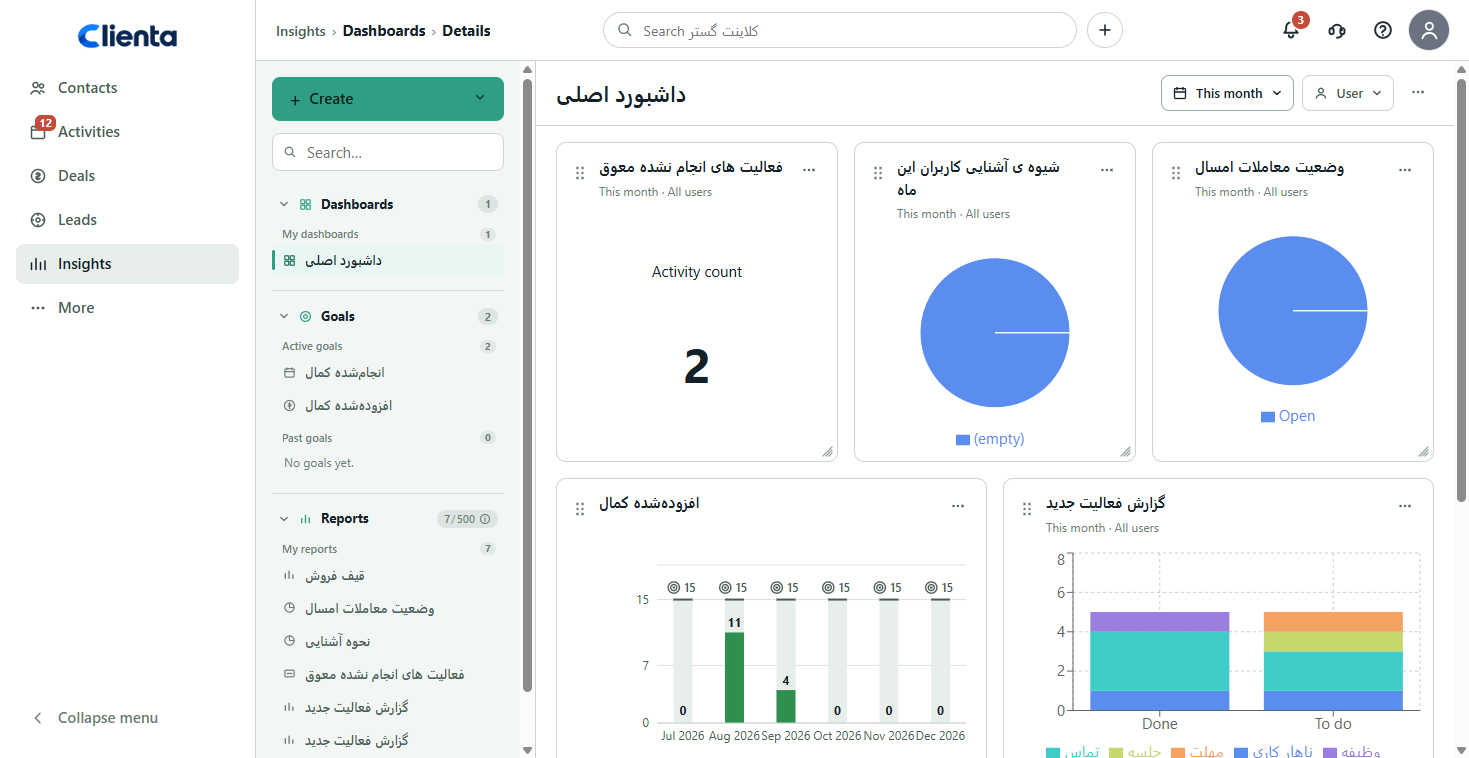
Both products ship standard reports. Custom dashboards and goals in Clienta start on Professional. Didar’s BI builder on Google Looker Studio is on Pioneer and is typically announced with a minimum user count.
Team access
As the team grows, “everyone sees everything” becomes a risk. Clienta’s Professional plan adds custom visibility groups and permission sets. Didar limits records to the owner on Advanced and unlocks multiple visibility levels from Professional, up to three.
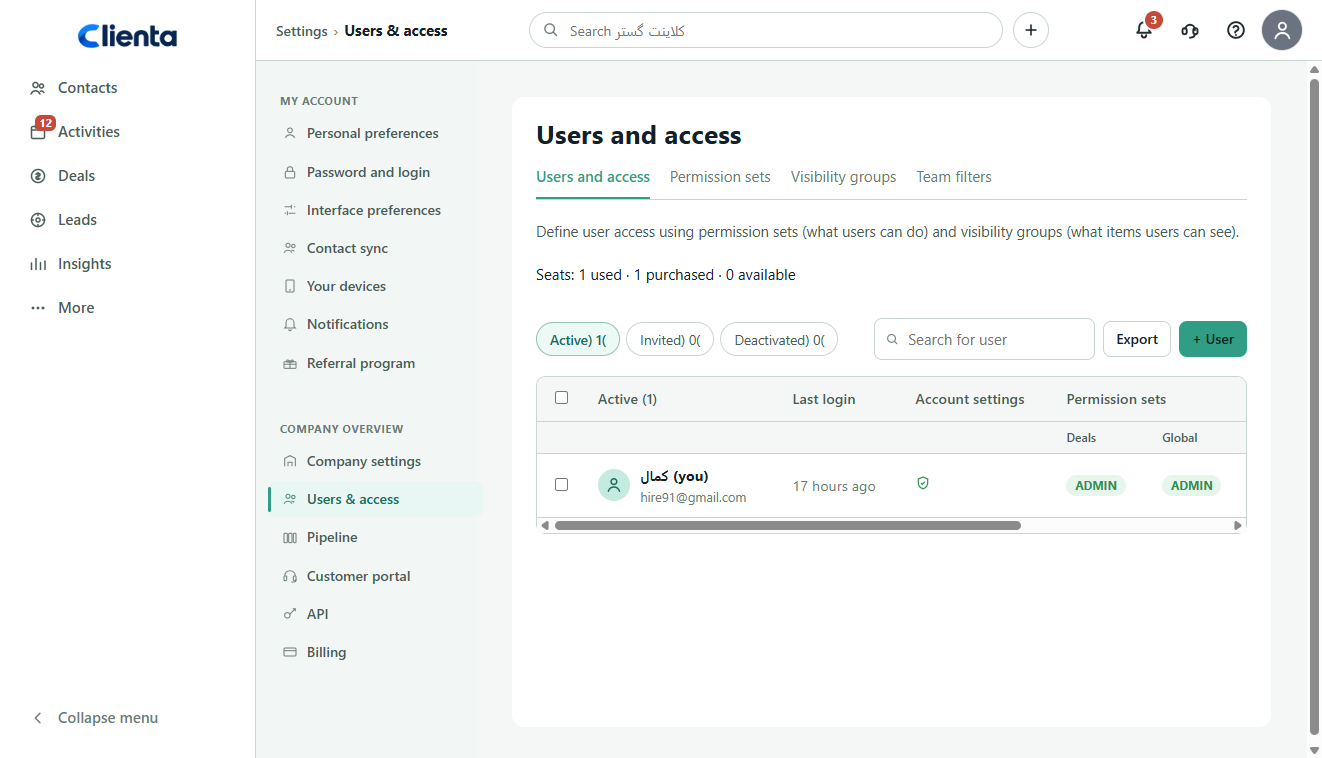
Switching from Didar
Clienta does not have a one-click “connect my Didar account” button yet. The right path is an export of your own data. Didar gives admins Excel export and an API key. People, organizations, deals and activities can be imported into Clienta.
From Didar settings, export people, organizations, deals and activities if you need them. That data belongs to your account.
Create a Professional trial, shape pipelines and fields around your sales process, then import the file.
Align name, phone, organization, deal stage and owner with Clienta fields so person–deal relationships survive.
Move a few live deals onto the board, create today’s follow-ups, and run the daily flow with the team before you cancel the previous subscription.
Keep exploring
FAQ
Both are cloud sales CRMs with a pipeline, invoicing, mobile apps, VoIP and Persian support. Didar has a built-in SMS panel; Clienta connects Iranian SMS providers from the marketplace. The main gap is timing: Clienta opens a customer timeline, two-way email sync and workflow automation on mid-tier plans; on Didar’s tariff, automation and webhooks usually sit on Pioneer.
For small and mid-size sales teams that need a pipeline, follow-ups, reporting, automation and telephony, yes — Clienta is built as a Didar CRM alternative. VoIP and caller ID are set up for any Clienta workspace that needs them.
On annual billing, Clienta Growth is 520,000 toman per user per month. Didar Advanced is about 832,200 toman per user per month plus VAT on the public tariff. Clienta Professional is 740,000 toman; Didar Professional is about 1.029 million toman plus VAT. Check both live pricing pages before you buy.
Didar’s public plan comparison puts process automation, event-based SMS and webhooks on Pioneer. Clienta enables automation and automatic assignment from Growth.
A Didar admin can export people, organizations and deals to Excel or use the account API key. You import the file into Clienta, map columns and rebuild the pipeline. One-click migration is not in the product yet; use a demo for larger accounts.
If you only need a pipeline and invoices quickly, both work. If you need automation, web forms and forecast reports from day one, Clienta Growth includes them without the top-tier price. Didar Advanced is cheaper than Pioneer, but that plan does not include workflow automation.
Yes. Clienta has VoIP and caller ID, and they are set up for any workspace that wants them so inbound calls attach to the same customer record. You can also call from the mobile app and log the activity there.
Both offer Android and iOS. The Clienta app brings today’s work, contacts, deals and calls onto the same account as the web app so follow-ups do not stall outside the office.
Open a 14-day Professional trial. Compare pipeline, follow-ups and reports with real team work — no server install.