Today
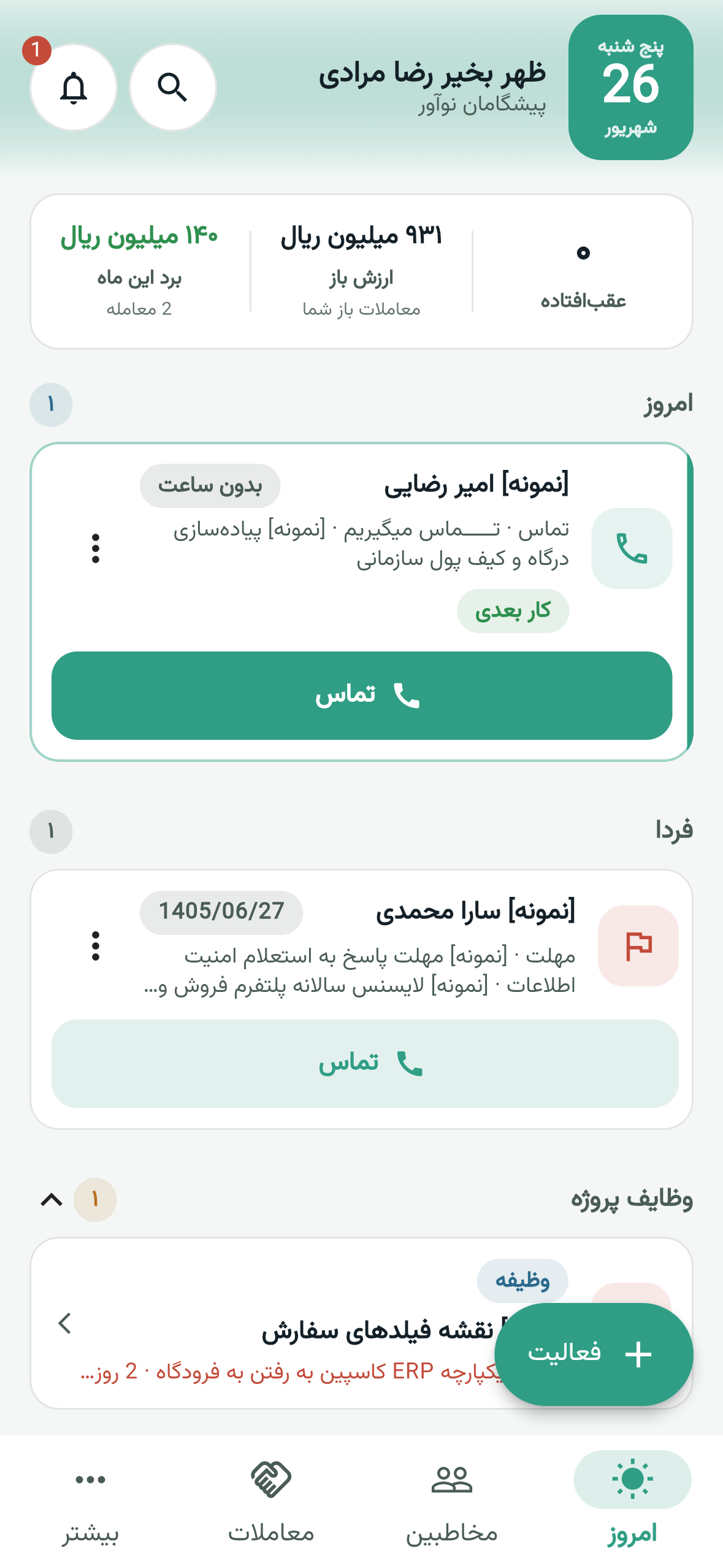
See overdue, today, tomorrow and due tasks in one queue and mark an activity done there.
Clienta mobile CRM
Take action on the spot — selling does not stop at the desk.
A salesperson on the road still needs the CRM: who to speak with today, where the deal sits, and what the last call was. If that lives only on a desktop, follow-up falls back to memory and scattered notes.
The Clienta Android and iOS app puts today’s work, contacts and deals on the phone. Call, SMS or WhatsApp from the record, log the outcome, and if the network drops, the action stays in an offline queue until it syncs.
What is mobile CRM?
Mobile CRM means live access to contacts, deals and activities on a phone — not a stripped-down desktop. The point is that a call, a note and the next step land on the customer record immediately, so the team is not guessing after you return.
Clienta mobile CRM features
See overdue, today, tomorrow and due tasks in one queue and mark an activity done there.
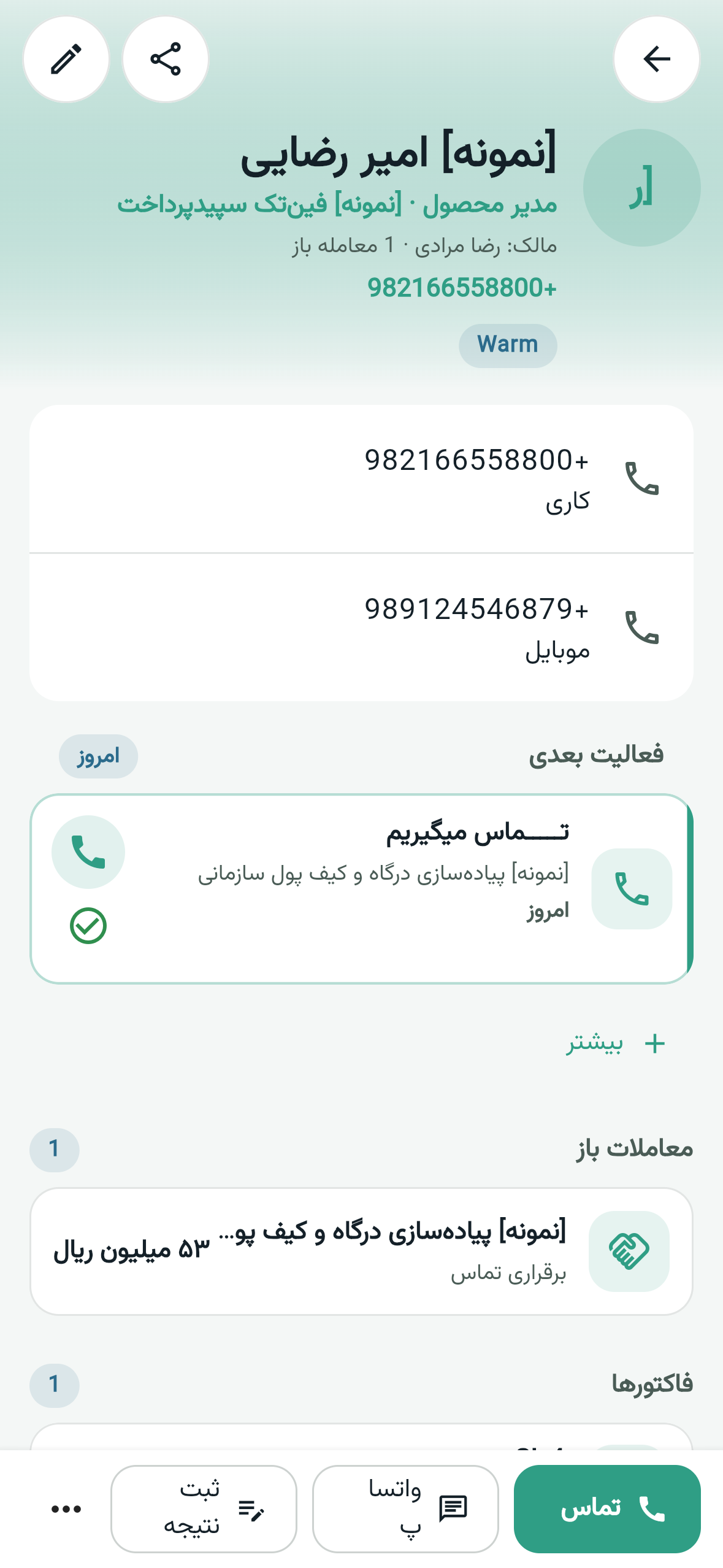
Search contacts, filter to yours, and call or message from the list.
Filter by pipeline, owner and status; create a deal or open a record and move it forward.
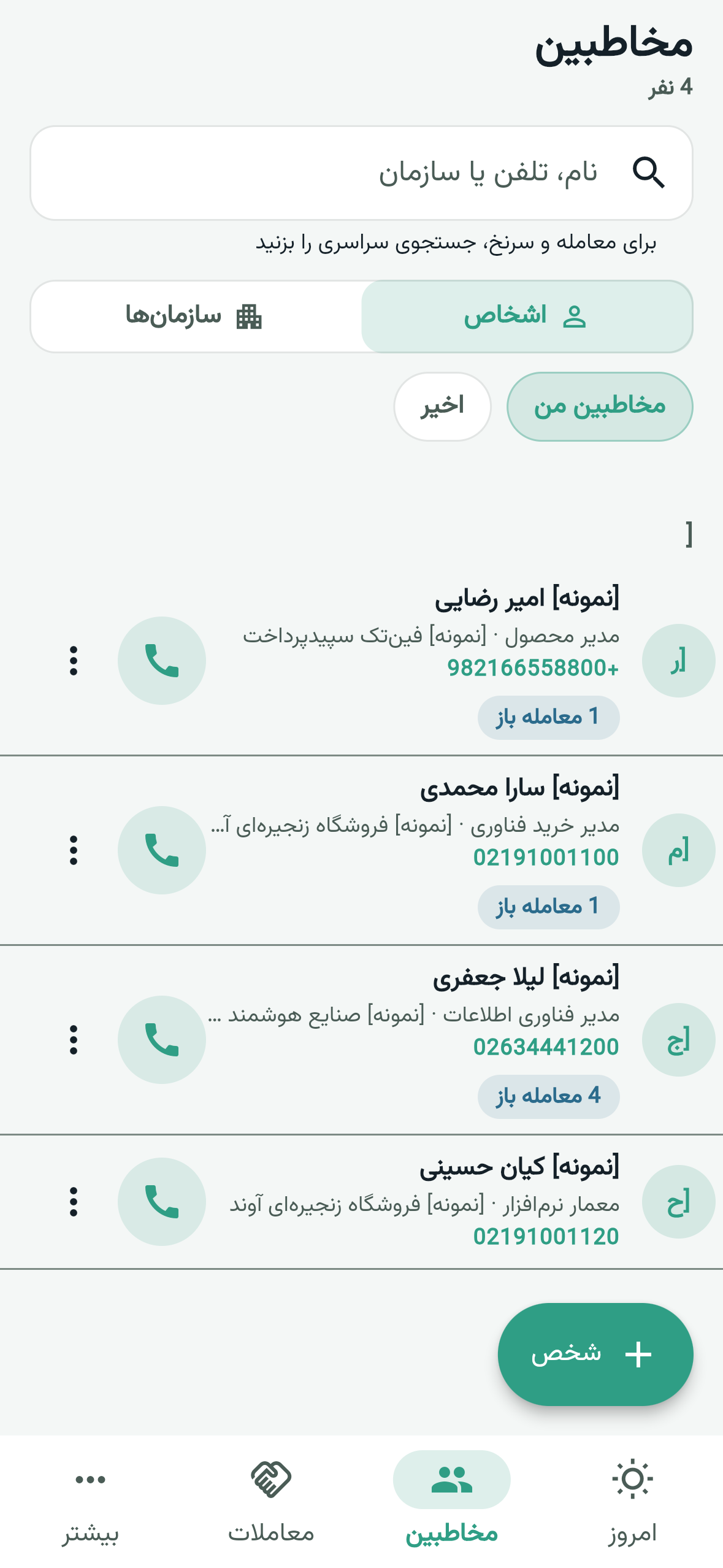
After the call, mark connected or no answer with a note. A draft survives if the connection drops.
Completing an activity, a note, a new activity and the call loop wait on device and sync when you are back online.
Activity notifications, fingerprint or face unlock, two-factor sign-in, and Persian or English on the same account.
What to look for in a mobile CRM
If data entry is clumsy, calling sits outside the record, or nothing can be saved without a network, people go back to paper and chat.
Logging an activity, contact or deal should take a few taps. A desktop form does not belong on a small screen.
The app should show the same people, deals and activities as the web app so reporting has one source.
Phone, SMS and WhatsApp should open from that contact, and the outcome should return to the same record.
An activity reminder should arrive while the salesperson is still in the meeting — not after they are back at the desk.
Coverage drops on the road. Completing an activity, a note and a call outcome should not disappear.
In the app
A number in a separate address book and history in the CRM means a broken follow-up. In Clienta you search people and companies and start a call, SMS or WhatsApp from the row or the record.
In the app
A deal should not stall until someone is back at a desk. In the Clienta app you open deals by pipeline, owner and status, create a new one, and update the record on the spot.
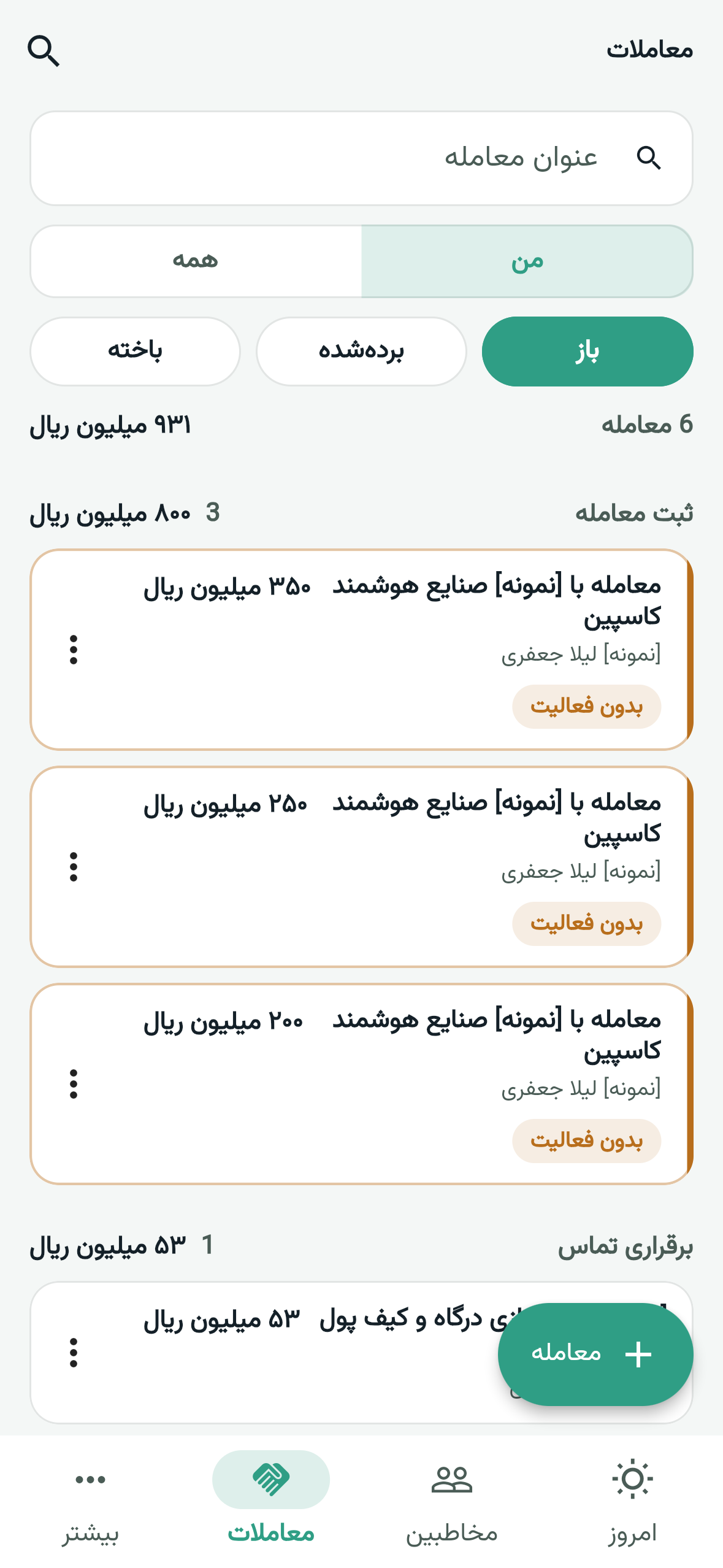
A working day on the phone
The companion app brings the web sales flow to the phone. Workspace signup and plan billing stay on the web.
Email or mobile and password — or a one-time code — is the same workspace user. Account creation is web-only.
See overdue, today and tomorrow. Find a contact or deal from the tabs or search.
Call, SMS or WhatsApp from the record. Mark connected or no answer and add a note.
The action waits in the offline queue. When you reconnect, the customer record and team reports update.
In the app
A call that is not logged never shows up in the team report. After the conversation you pick an outcome and add a note. If the connection drops, a draft stays on the device until it saves.
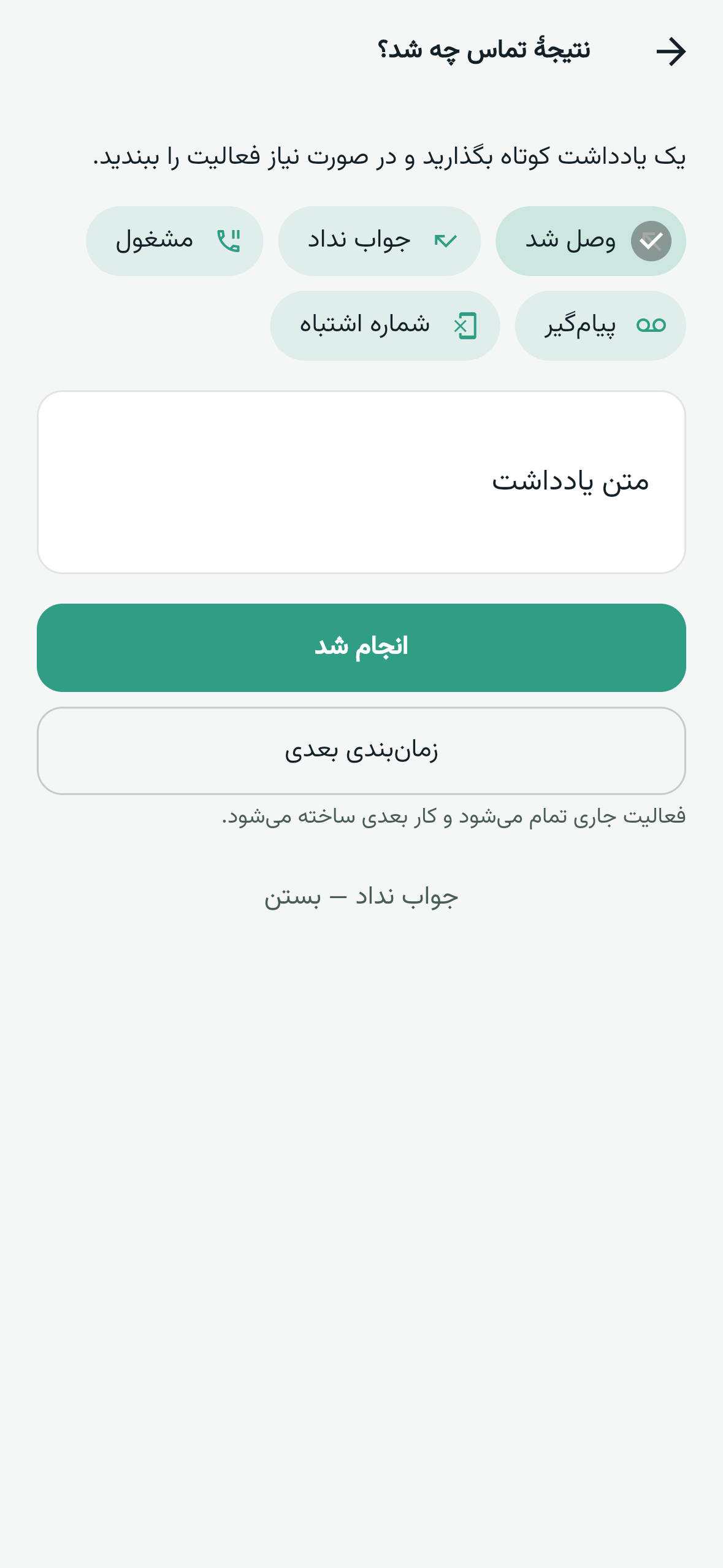
In the app
Field work is more than calling. From More — when the plan and permissions allow — you open the leads inbox, service tickets, tasks, synced mail, products, invoices and dashboards. Workspace setup and billing stay on the web.
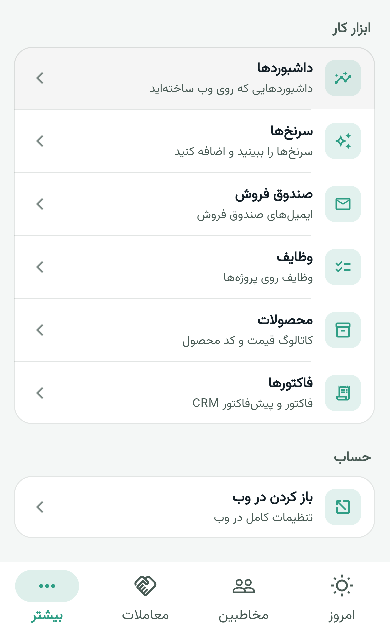
In the app
An activity only helps if it is seen on time. The app schedules follow-up notifications, shows unread alerts, and you can lock with fingerprint or face so a customer record is not left open on the phone.
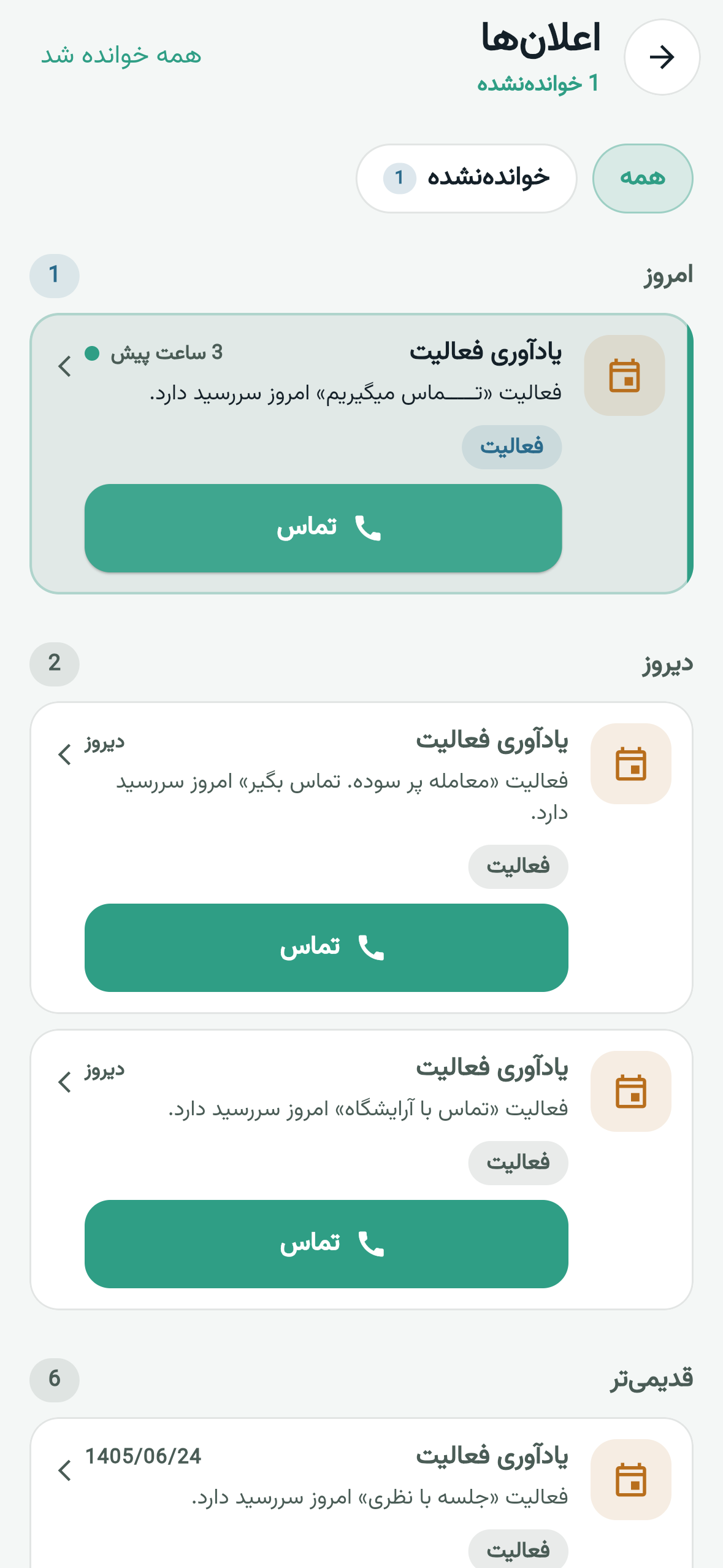
One app, three working views
Who do I see today, what is the number, and where do I log the result after this meeting?
Is the team updating deals on the road, or do follow-ups sit in WhatsApp until they return?
Is work away from the desk the same CRM, or a parallel list that never reaches the report?
Mobile CRM FAQ
Mobile CRM is access to contacts, deals and activities on a phone, at the moment the conversation happens. It matters for field sales because a follow-up that waits until the office loses detail, and the team sees incomplete data.
You sign in with the same web account. Today shows the follow-up queue, you search and filter contacts and deals, you call or message from the record, and you log the outcome. Activity reminders arrive on the device.
You can work away from a desk without a parallel system. A salesperson finds the contact, makes the call, moves the deal and closes the activity; a manager sees the same data on the web.
Clienta is not a full offline CRM. For a short drop on the road, completing an activity, creating a note or activity, and the call-outcome loop wait in an on-device queue and sync when connectivity returns.
Fast data entry, parity with the web CRM, calling and messaging from the record, due-date notifications, and that a critical action is not lost when the network drops. Pricing should share the web workspace — in Clienta, plans are purchased on the web.
No. Workspace setup, inviting members and billing are on the web. The app is for daily sales work; you sign in with the same email or number as the web user.
Yes. People, companies, deals, activities and — with the right plan and permissions — leads, tickets, invoices and reports come from the same workspace API. There is no separate data source.
Start 14 days free on the web, then sign into the app with the same account. Log one real call and see the customer record update immediately.