Customize your pipeline
Shape stages, win probability and multiple pipelines around how your team actually sells.

Clienta CRM sales pipeline
Track every deal with Clienta's pipeline management tool.
Pipeline management means staying on top of every opportunity as it moves through your sales cycle, from first contact to close. You need to see where deals stand, where they get stuck and which actions to prioritize.
Clienta gives you a clear, customizable view of every deal, stage and activity so you can stay organized, move deals forward and sell with more precision.
What is pipeline management?
Pipeline management is how sales teams keep opportunities visible and moving. An effective process shows where each deal stands, what to do next and where work is slowing down.
Clienta pipeline management features
Shape stages, win probability and multiple pipelines around how your team actually sells.
See each deal's place in the cycle so opportunities and bottlenecks appear at a glance.
Connect calls, meetings and tasks to deals so reps always know the next step.
Trigger follow-ups or field updates when a deal reaches a stage, without extra admin work.
Track deal count, conversion, stage value and goal progress in live dashboards.
The pipeline stays linked to customer history, activities, reports and invoices when those tools are on.
What to look for in a pipeline management tool
If stages, filters and next actions do not reflect the real sales cycle, the board becomes a status poster instead of a daily working tool.
Tailor deal stages, filters and multiple pipelines to your sales cycle.
Choose an intuitive CRM that teams can start using without a heavy rollout.
Connect each stage to the call, meeting or task that moves the deal forward.
Give reps history, value and notes before they pick up the phone.
Managers see flow and load, reps see today's work, and results stay in one shared view.
Software feature
Every sales process looks different. If the pipeline does not match how your team sells, tracking deals becomes harder. In Clienta you can edit stage names, win probability and rotting rules.
Software feature
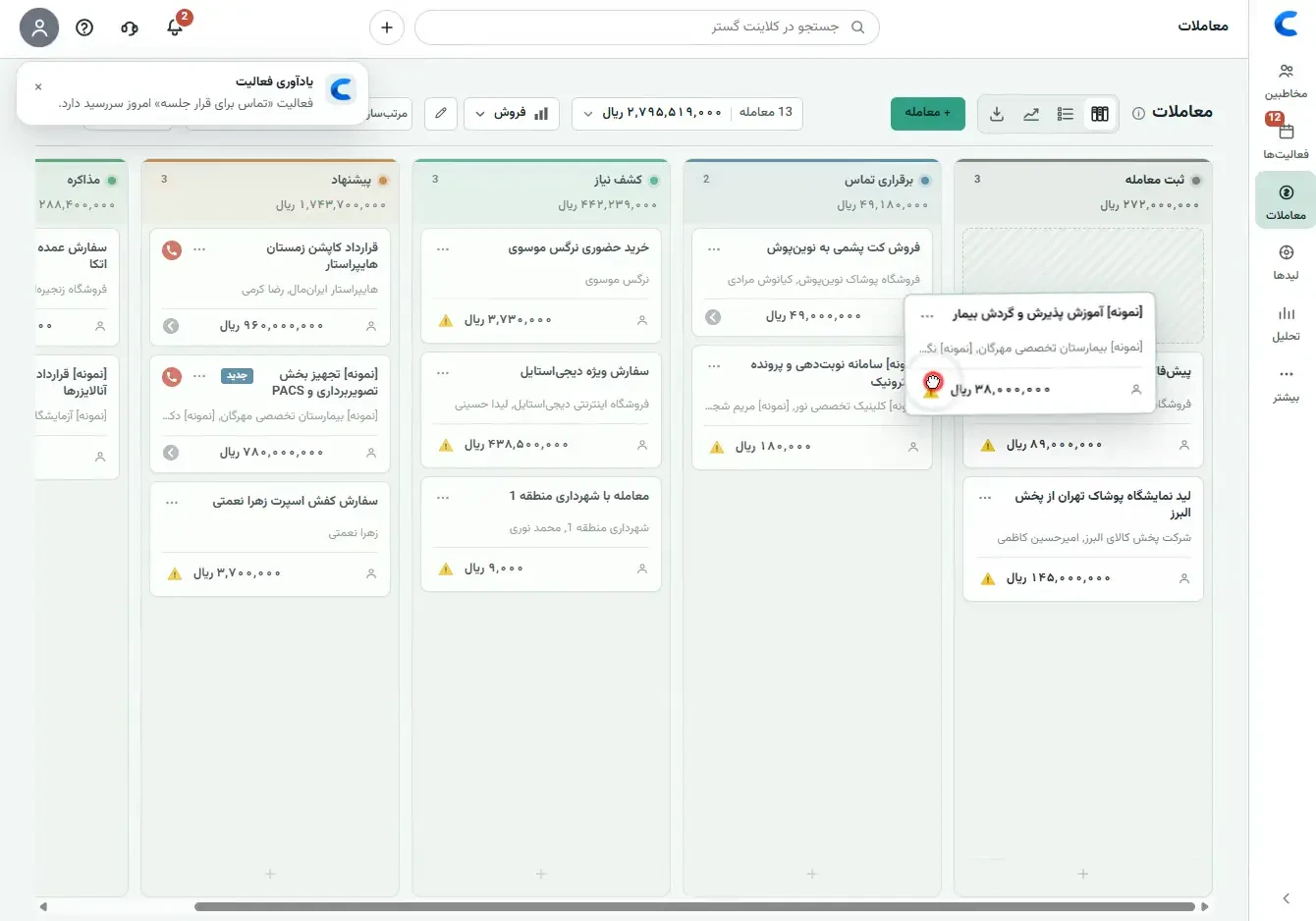
Without a clear pipeline interface, turning new leads into customers is guesswork. Clienta's deal board shows where each opportunity stands, what it is worth and whether a next step exists.
A practical sales workflow
Shape the pipeline around your sales process, then move each deal with clear context and a scheduled next action.
Add the deal, contact or company, expected value, owner and target date.
Place the card where the deal actually is and drag it forward as progress happens.
Log the next call, meeting, task or deadline before the opportunity stalls.
Review won and lost deals, team activity and conversion patterns in reports.
Software feature
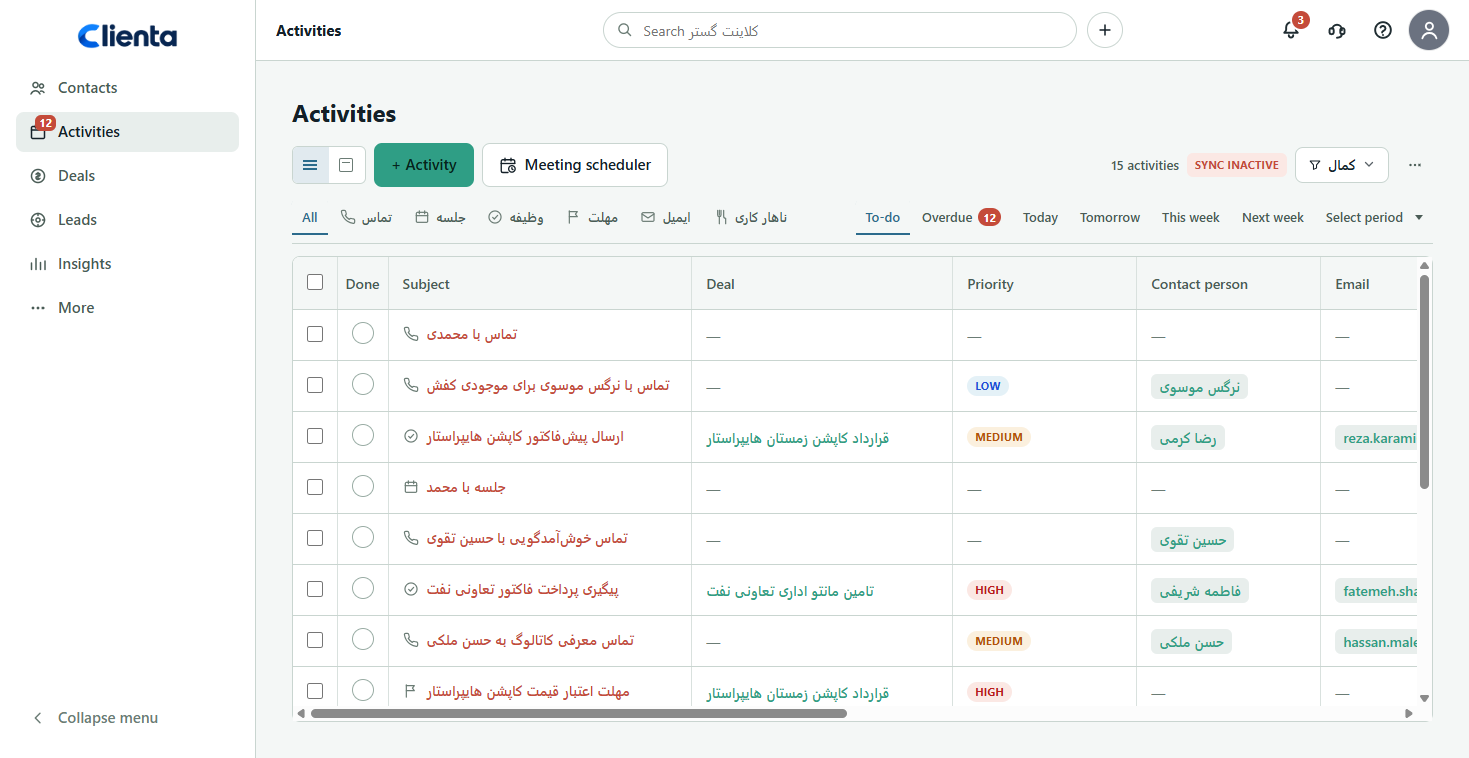
Missed pipeline steps equal missed opportunities. Calls, meetings, tasks and deadlines stay linked to the deal, so active opportunities do not stall and daily work stays obvious.
Software feature
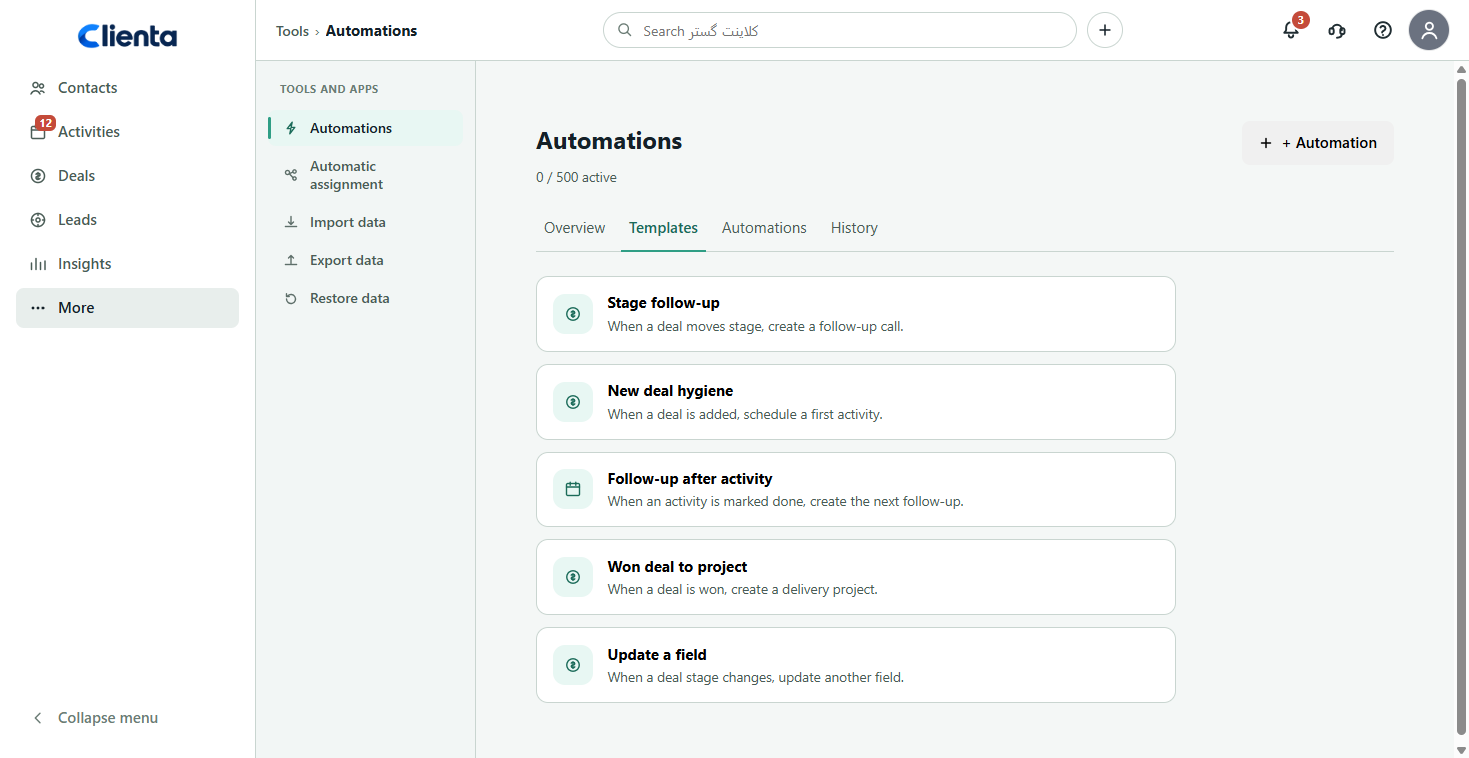
Manual pipeline admin costs time when the team is juggling updates and follow-ups. Clienta automations can create the next activity or update a field when a deal changes stage.
Software feature
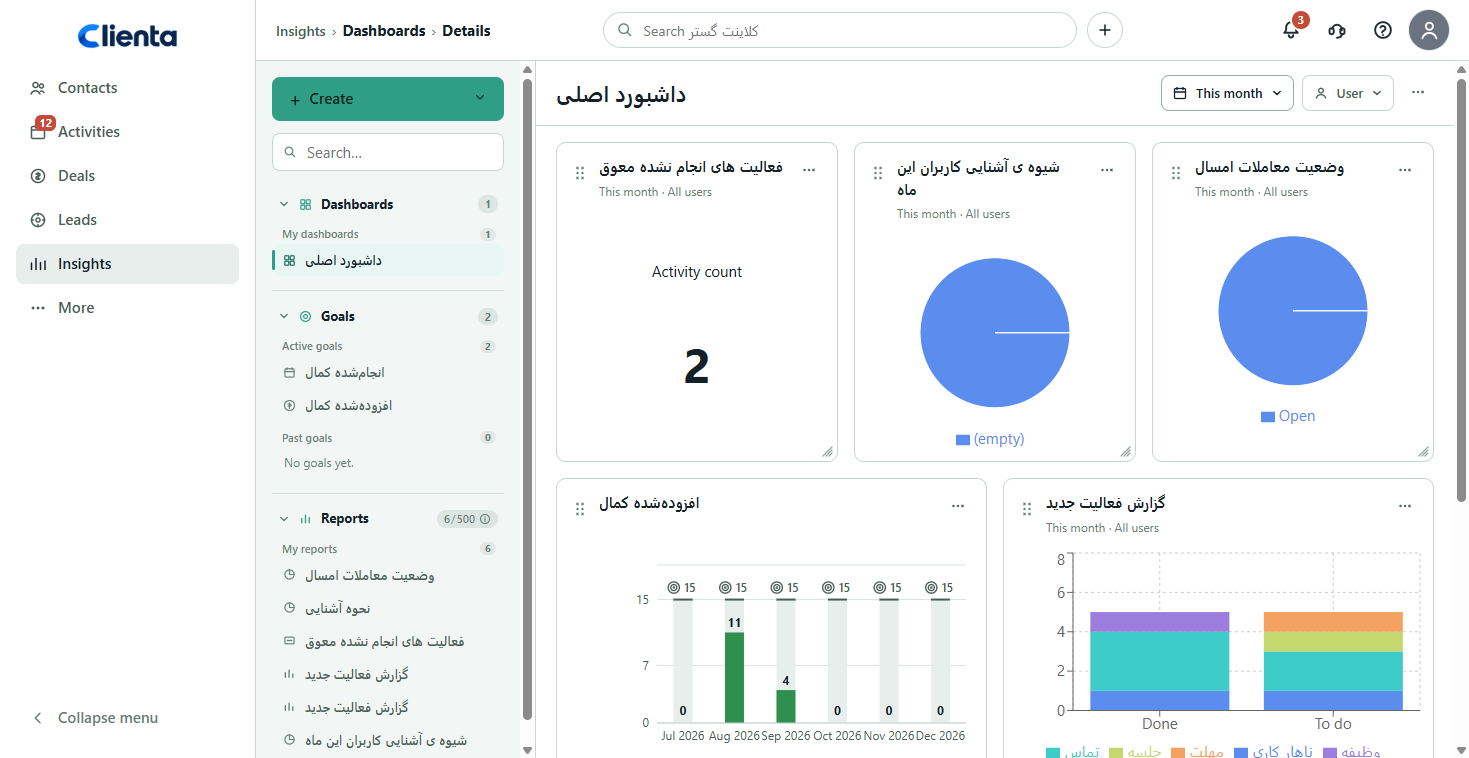
It is hard to improve sales when you cannot see what helps deals close. Dashboards turn pipeline and activity data into decisions you can still act on during the month.
For the whole team
Who should I contact today, which deal is late, and what is the next step?
Where is the pipeline stuck, how is work distributed, and which deal needs help?
How much potential revenue is in motion, and what does the real sales trend show?
Frequently asked questions
You need a pipeline management tool, usually a cloud CRM, that visualizes deals by stage and keeps next activities attached to each opportunity. Clienta does this on a live board instead of scattered files.
In CRM software, pipeline management means custom stages, kanban or list views, activity tracking and conversion reporting. Clienta lets you create pipelines and review the same data in boards, lists and dashboards.
Almost every sales process has a start, an end and stages in between. When that path is visible, daily work is easier to organize, follow-up slips less often and the customer experience stays consistent.
Deals move across a kanban board with drag-and-drop. Each card shows value, customer, owner and next-activity status, and you can edit stages to match your process.
Yes. Edit stage names, win probability, rotting alerts and separate pipelines for different workflows.
Yes. Calls, meetings, tasks and deadlines can be related to the deal, contact and company so history and next steps remain together.
Start free for 14 days, configure your stages and see how much clearer daily follow-up becomes.