Context-aware follow-up
See what happened, what was promised and what should happen next.

A unified customer profile in Clienta CRM
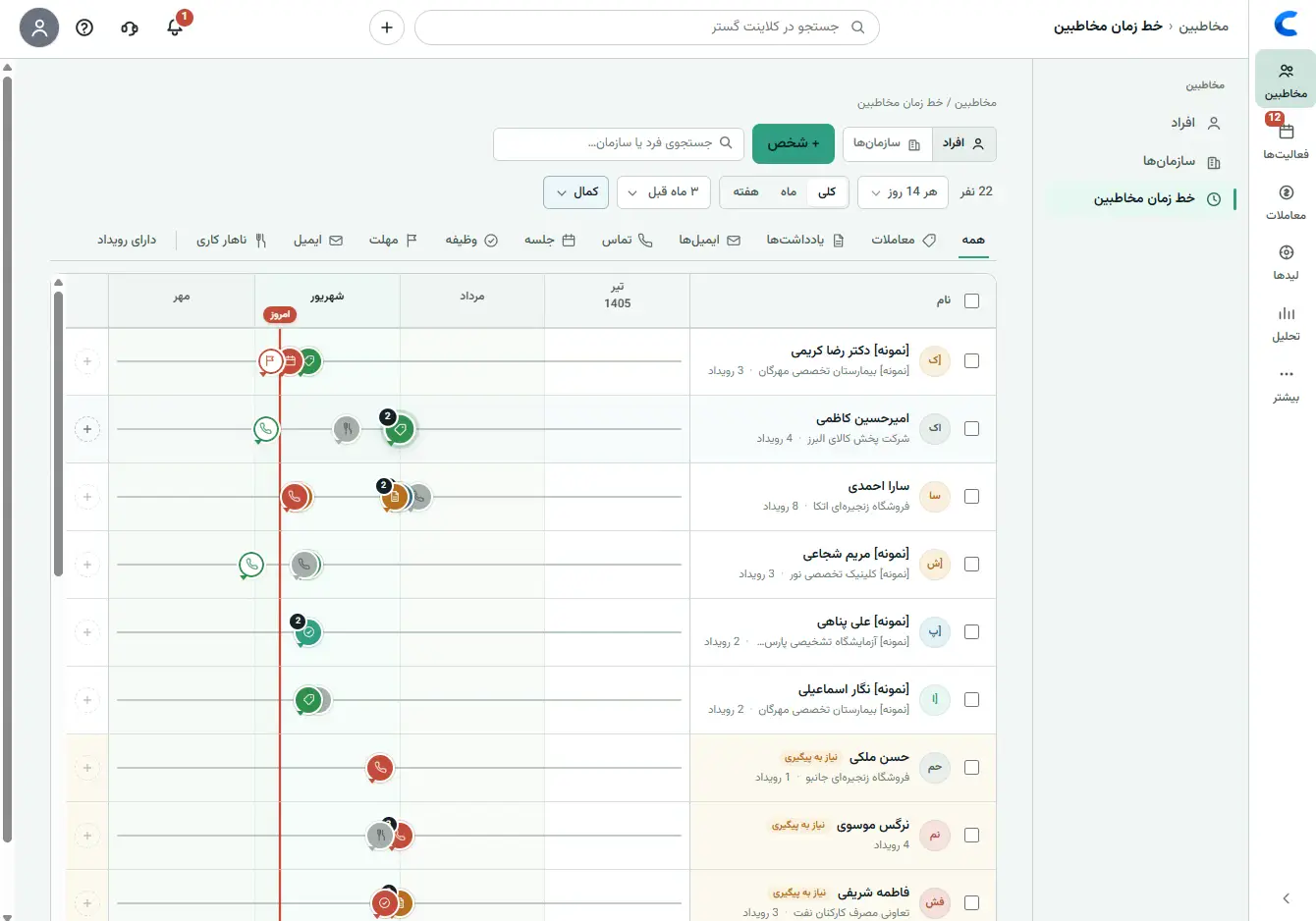
Stop searching messages, notes and spreadsheets for the latest conversation or promise. Clienta brings each person and company’s interactions into one chronological profile, so every follow-up starts with context.
Make customer context belong to the team
When contact details live in spreadsheets, conversations on a rep’s phone and agreements in chat, part of the relationship disappears whenever someone is unavailable. Clienta keeps the context so your response stays consistent, fast and personal.
See what happened, what was promised and what should happen next.
Authorized teammates share history instead of relying on one person’s memory.
Notes, activities, deals and documents stay with the right person or company.
Customer timeline
The timeline shows what happened and who recorded it in chronological order. Filters help you locate calls, meetings, notes, emails and key changes quickly.
One complete view of every relationship
Each interaction lands in the right place, giving the team a clear way to continue the customer journey.
Keep contact details, company, role and business-specific fields together.
Connect calls, meetings, notes, emails and outcomes to the person or company.
Assign the next activity, owner and due date so follow-up does not stall.
Review deals, invoices and interaction patterns to spot customers needing attention.
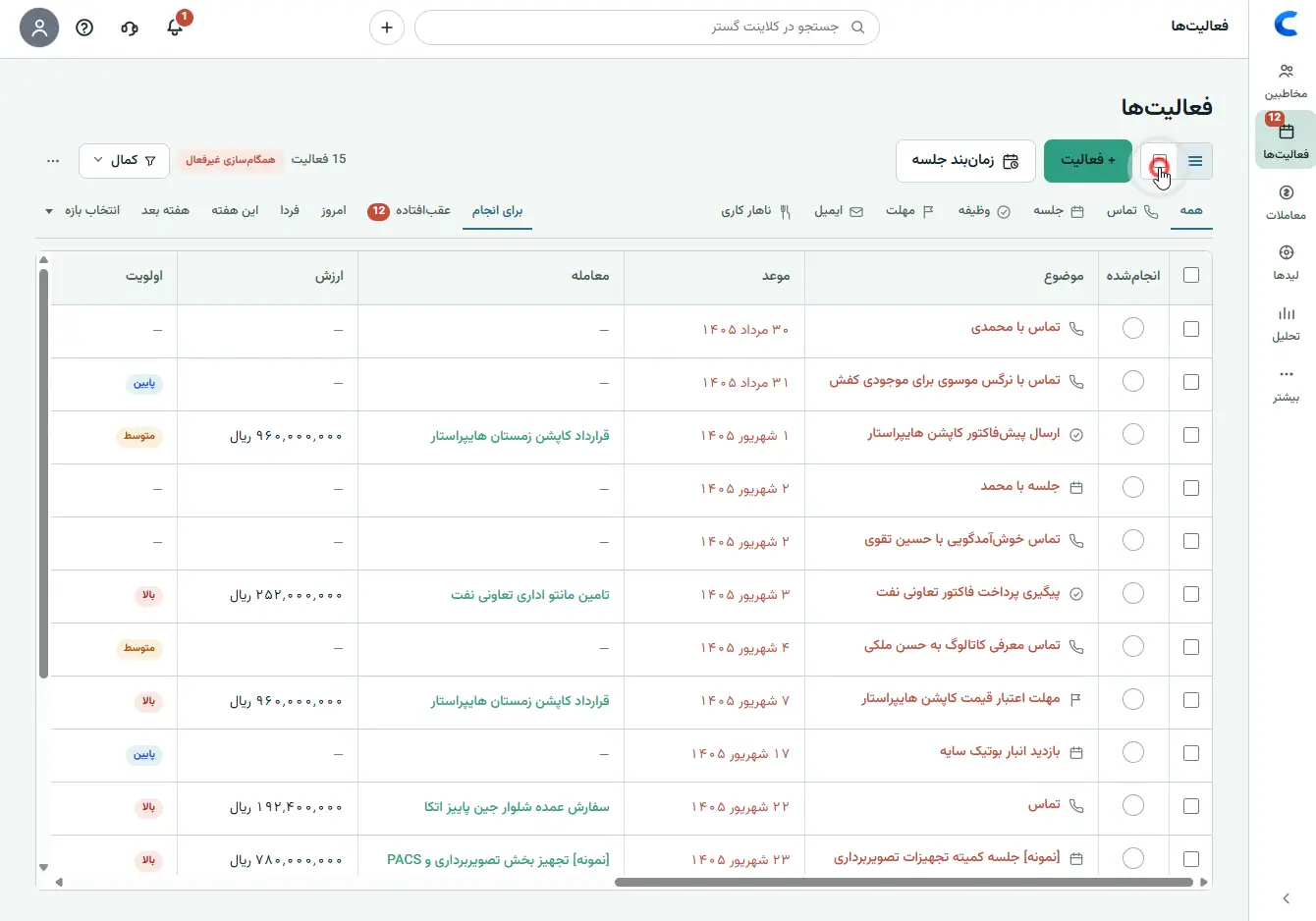
Activities and next steps
After each conversation, schedule the next call, meeting, task or deadline. It remains connected to the customer and deal while today’s and overdue work appears in the daily list.
Commercial history
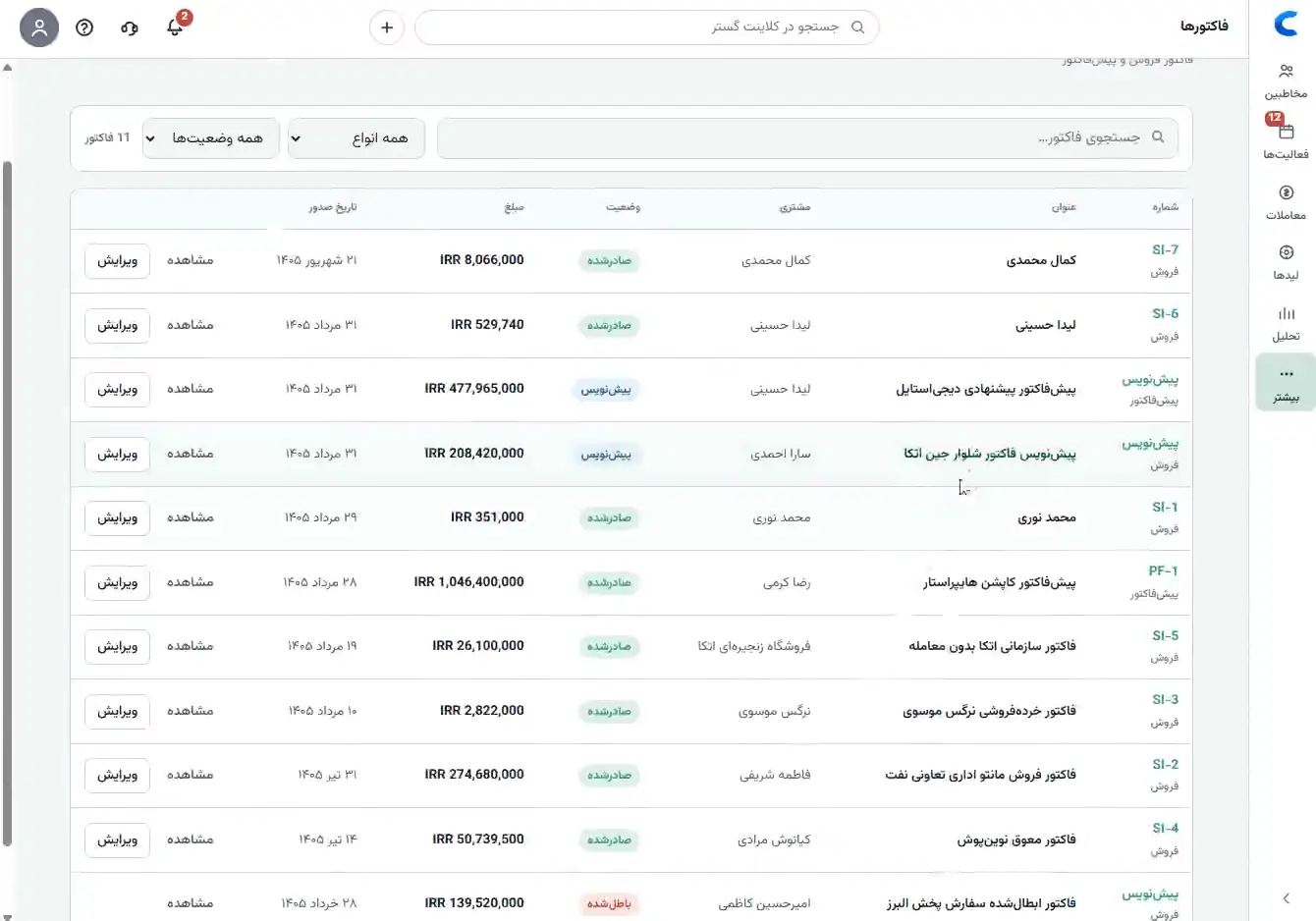
A customer record is more than contact details. Related deals and invoices provide a clearer commercial history for sales and support conversations.
One profile, multiple perspectives
What happened last, what matters to this customer, and when should I follow up?
Has this opportunity received enough attention, and where does the rep need help?
What history should we know before giving this customer a consistent response?
Frequently asked questions
It is a unified view of identity, contact details, company, interactions, activities, deals and documents related to a person or business.
Depending on enabled features, it can include calls, meetings, tasks, notes, emails, deal changes and other related events.
Yes. People and companies have their own records, with relationships and related history visible between them.
User access can be managed with roles and team settings so information remains available to authorized people.
The rep sees relationship history and the next step before calling, improving context and reducing missed follow-up.
Start free for 14 days, add interactions and next activities, and give the team a useful shared history.