
From definition to practice
CRM examples: real daily sales scenarios
The fastest way to understand CRM software is to see examples — not a feature list. This page shows practical customer relationship management scenarios: B2B sales, website inbound, field selling, after-sales delivery, small teams, startups, manager meetings and accounting handoff. Each example pairs the problem without CRM, the daily workflow with a system, and a real product screenshot.
How to use these examples
This page is not an advertising case study. The goal is to show what CRM does on a real workday and which pattern is closest to your team.
For every example ask three questions: where does this work live today (spreadsheet, chat, memory)? What breaks if a key person is away? And where is the next step after each call recorded?
- If you have several reps, start with team coordination and the manager meeting.
- If leads come from the site or ads, start with the inbound inbox example.
- If selling happens outside the office, read the field and mobile example.
- If work continues after the invoice, read the delivery and project example.
Which example fits your business?
Not every team needs every scenario. A simple mental map: lead source, sales-cycle length, headcount, and whether work remains after the sale.
- Multi-week cycle and several decision-makers → B2B sales.
- Lots of site forms, landings or ads → lead inbox.
- Visits, distribution or on-site service → field selling + mobile.
- Two to five people without a formal process → small business.
- Early team with daily inbound → startup.
- Invoices in separate accounting software → finance handoff.
1. Long-cycle B2B sales
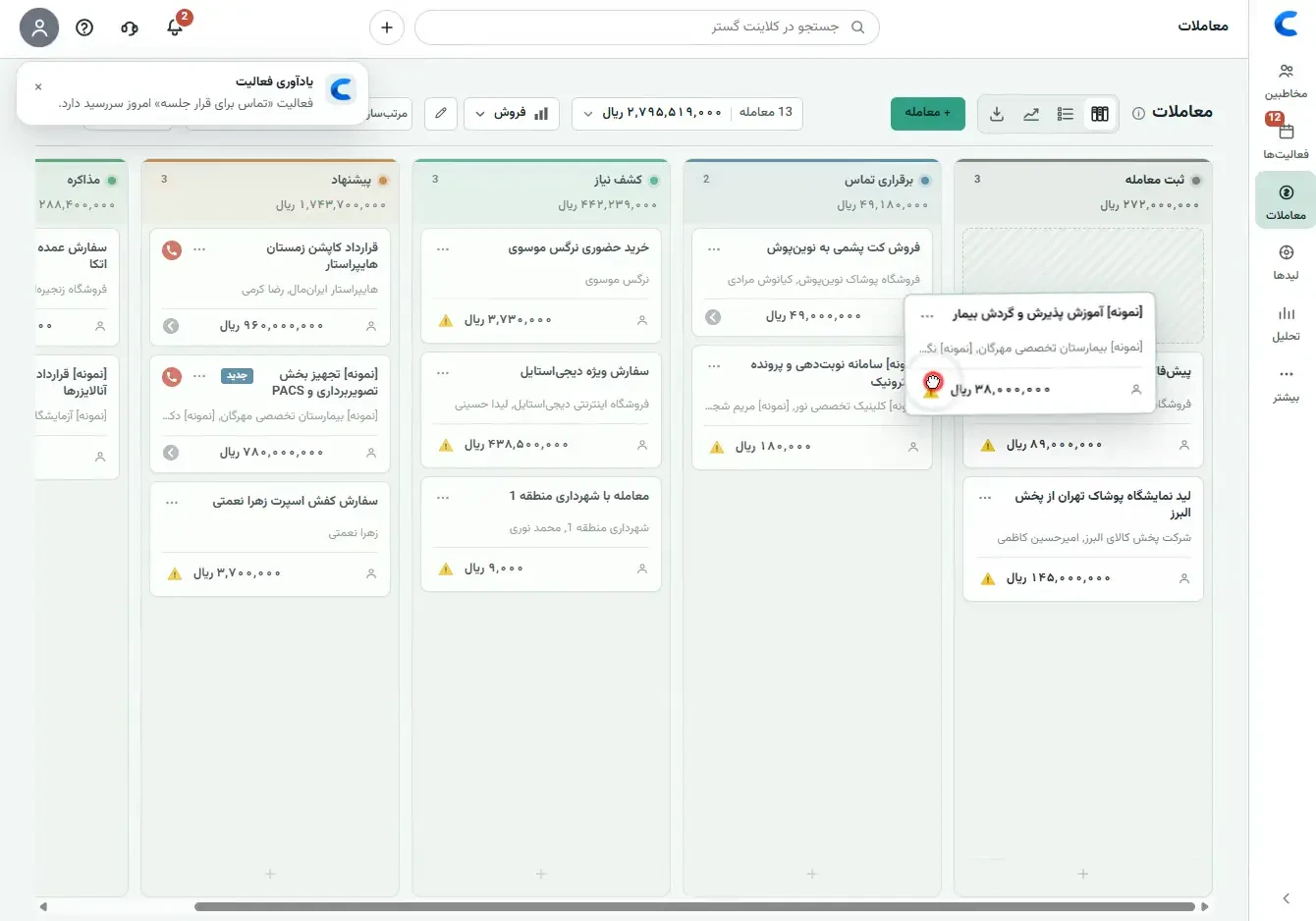
Industrial suppliers, enterprise software, contractors and specialist services often negotiate for weeks or months. Without CRM, proposals live in personal email, follow-up after a holiday restarts from zero, and nobody knows which stage a deal is in.
Practical example: one company record, one deal per opportunity with a clear stage, and an activity with a next due date after every call. Decision-maker, approximate value and latest proposal sit on the same card.
- Real stages like discovery, proposal, negotiation, contract — not decorative columns.
- If a rep leaves, negotiation history stays with the company.
- Managers see still deals before the opportunity goes cold.
2. Website, landing page and contact-form inbound
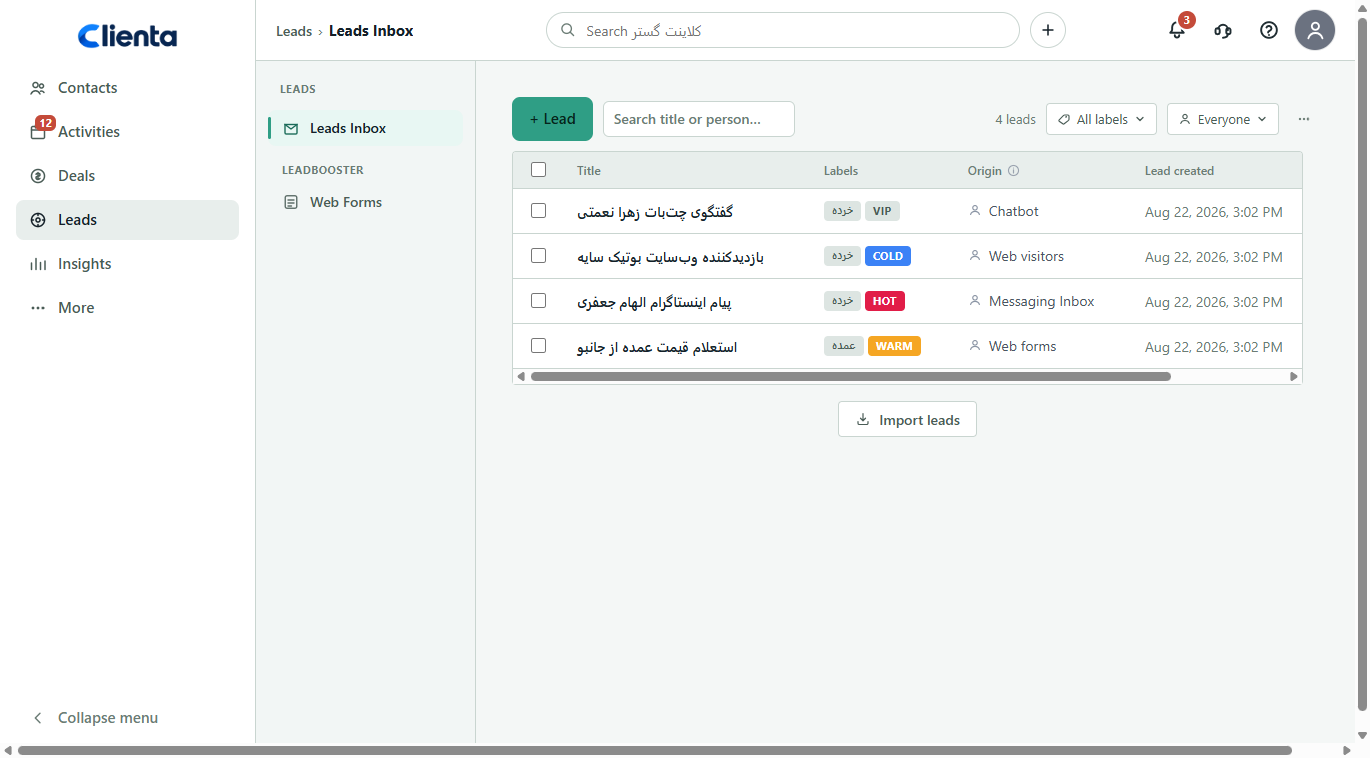
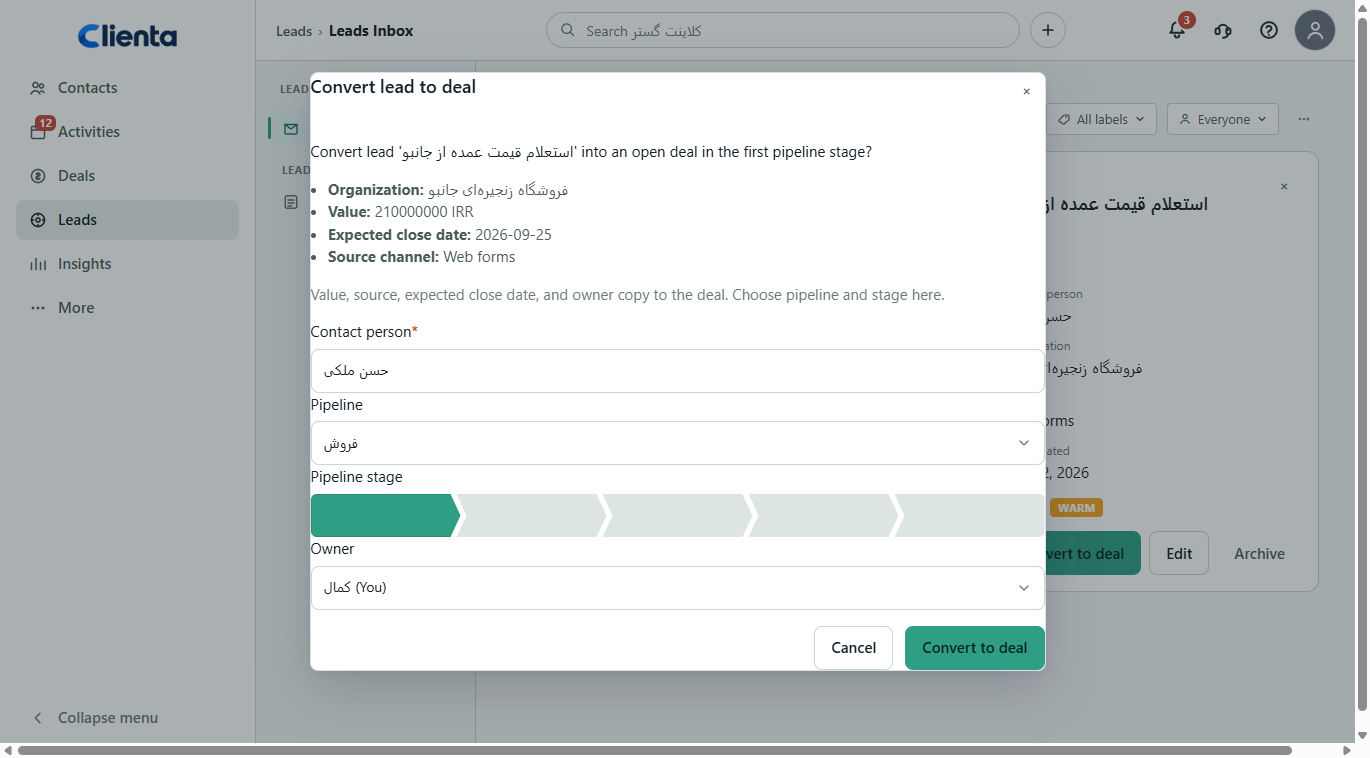
Leads arrive from web forms, ads or landings. If they only land in email or a chat group, some disappear the same day. A sound CRM example puts every inbound item in a lead inbox, tags the source, qualifies it, then converts it to a deal — or discards it.
Tangible benefit: time-to-first-call shrinks, and marketing learns which channel becomes revenue — not only which channel fills forms.
- A separate queue for new leads before the sales pipeline gets noisy.
- Qualification tags so reps do not burn time on cold numbers.
- A clear convert action from qualified lead to deal.
3. Field sales and distribution teams
Visiting reps, distribution routes, regional sales and on-site service do most of the work away from a desk. If logging waits until someone is back in the office, meeting detail is lost and the manager’s pipeline is always yesterday.
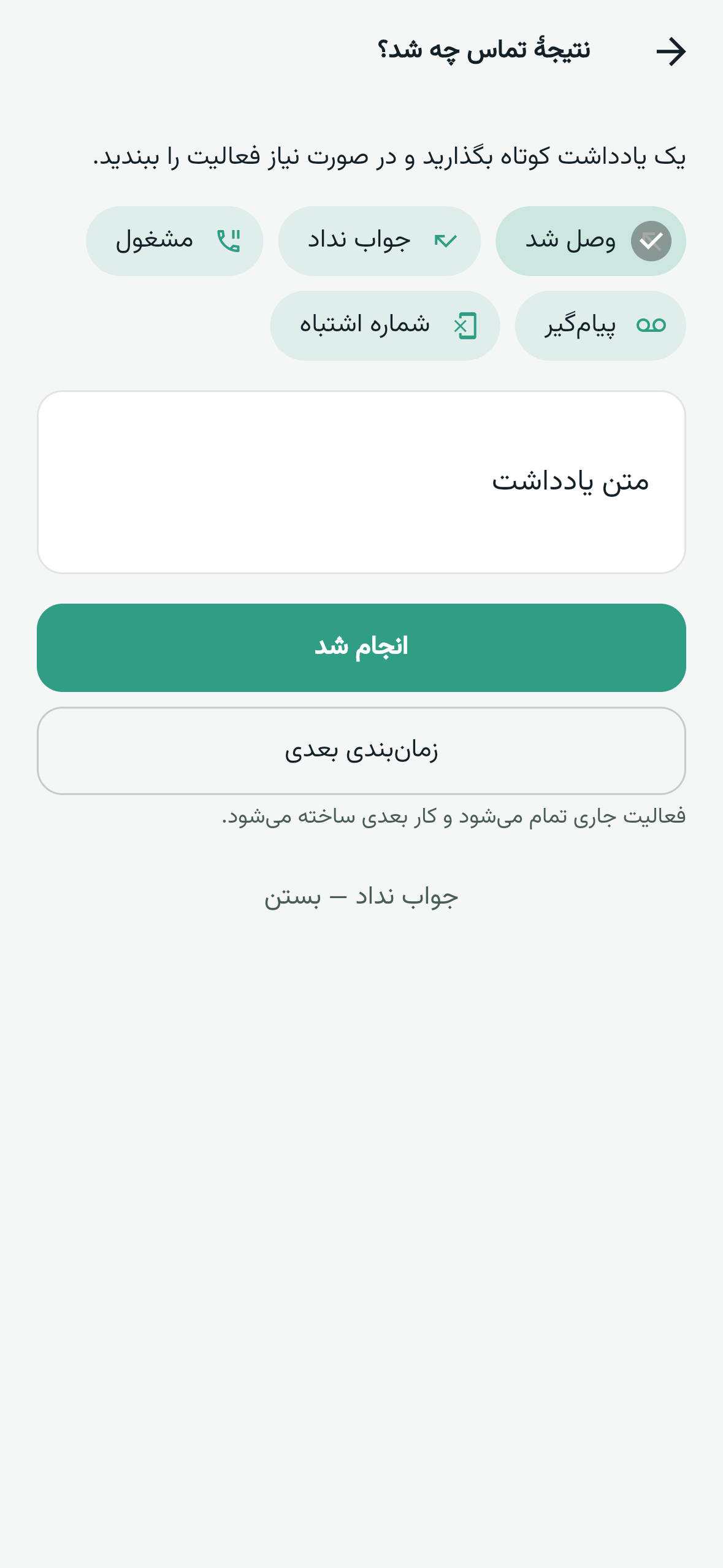
Practical example: after a visit, the call or meeting outcome is logged in the mobile app immediately, the deal stage moves and the next step is scheduled. The same night a manager sees an updated pipeline.
- Find the customer and start the call from the phone.
- Log the visit outcome before the next appointment.
- Less dependence on end-of-day memory for sales reporting.
4. Agencies, consulting and project services
Digital agencies, consultancies, design studios and service contractors often have several contacts inside one account, and each project has its own timeline, scope and decision-maker. Without a shared record, teams confuse “past client” with “new opportunity”.
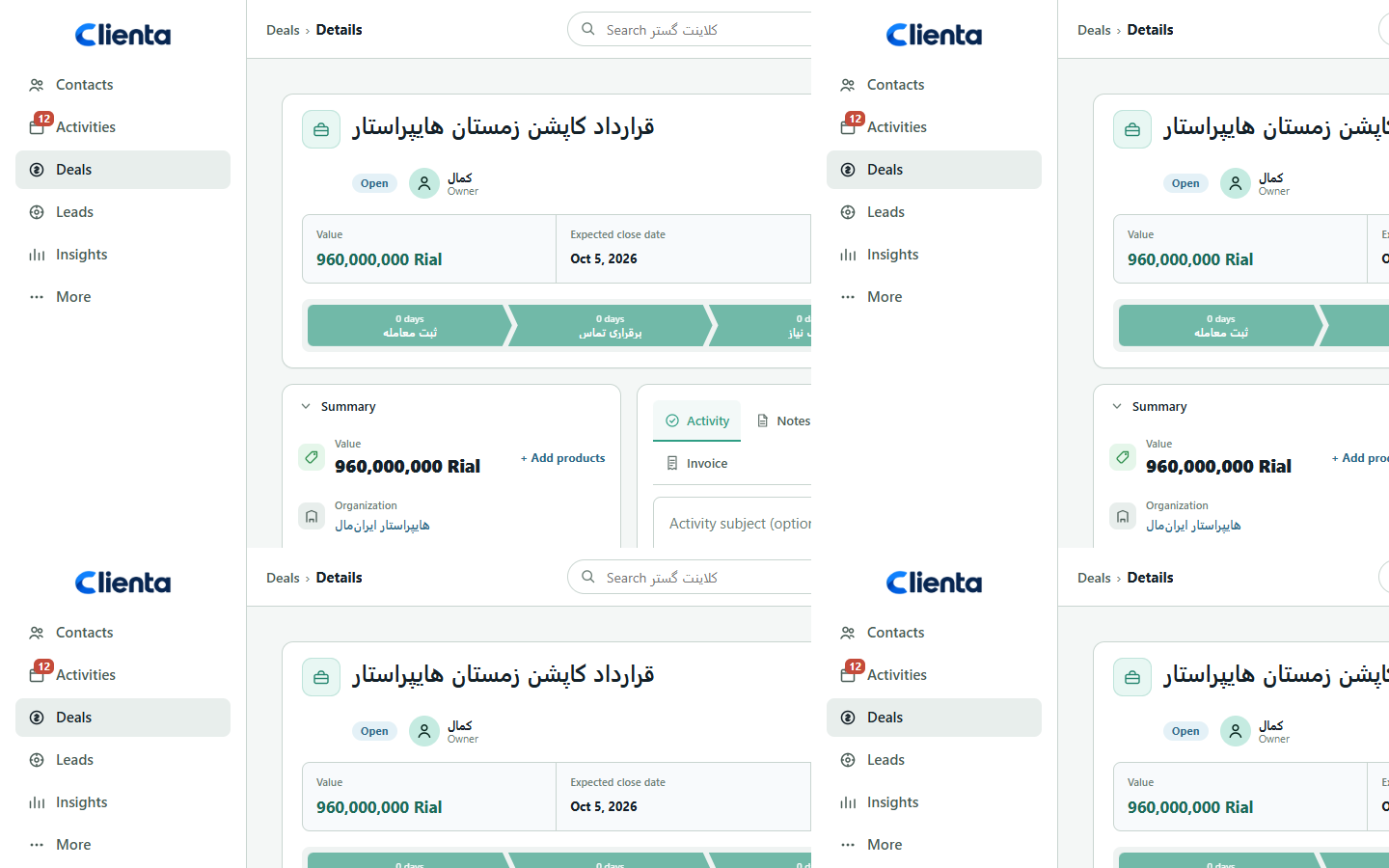
CRM example: separate people and companies, a deal per opportunity, and call/meeting history before the next proposal. When a client returns for renewal or phase two, the story is not retold from scratch.
- Several decision-makers on one account without mixing records.
- Proposals and follow-up stay on the same opportunity.
- Conversation context before a renewal call is readable in seconds.
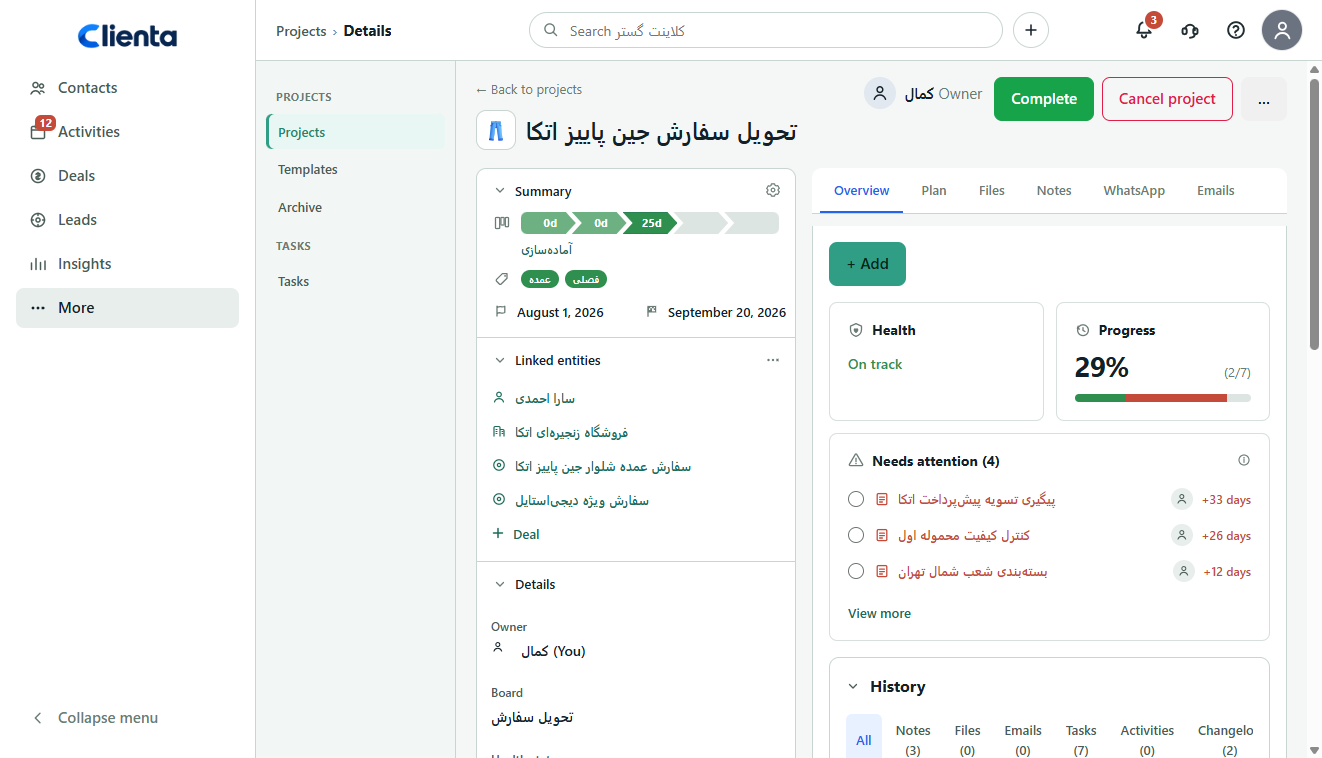
5. After-sales delivery and project handoff
Winning the deal is not the end of the relationship. Install, onboarding, training or project delivery that lives only in a chat group makes customers feel abandoned after payment — and the next seller has no context.
A strong CRM example connects the win to a project board or tasks while the same customer stays visible on the sales record. Renewals and upsells also come from that history.
- Delivery work has an owner and does not disappear.
- Sales and service see one story of the customer.
- Upsell opportunities appear after a successful delivery.
6. A two-to-five person business
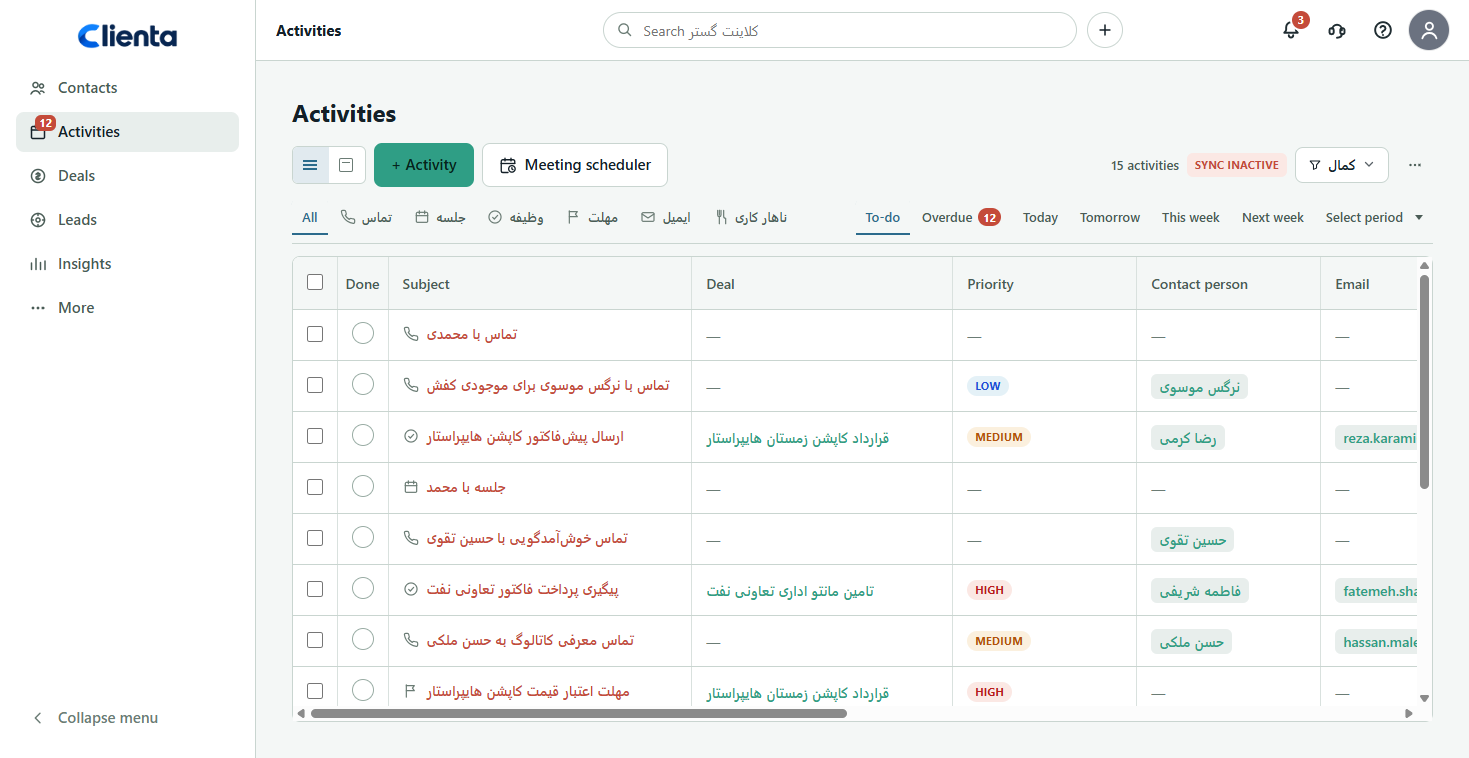
Here the goal is not enterprise complexity. CRM replaces a notebook, a personal spreadsheet and a WhatsApp group so Monday’s promise is not forgotten and two colleagues do not call the same customer twice.
Daily example: morning activity list, open the record during the call, log the outcome and set the next step. If only that habit sticks, a small team already gets CRM value.
- Few required fields — logging should not be harder than chat.
- No active opportunity without a next step.
- The owner sees status without a verbal report.
7. Startups and early growth teams
Startups first buy or earn leads through ads or referrals; without a process those leads vanish in chat. The CRM example for this stage is simple: a lead inbox, fast convert to deal, and a short pipeline so the team learns what is repeatable.
The main benefit is building habit before scale. When the third and fourth sellers join, they should not invent the process from scratch.
- No inbound lead without an owner.
- A three-to-five stage pipeline — not twenty premature columns.
- Lead source logged from day one so marketing spend has meaning.
8. Automated follow-up after a proposal or stage change
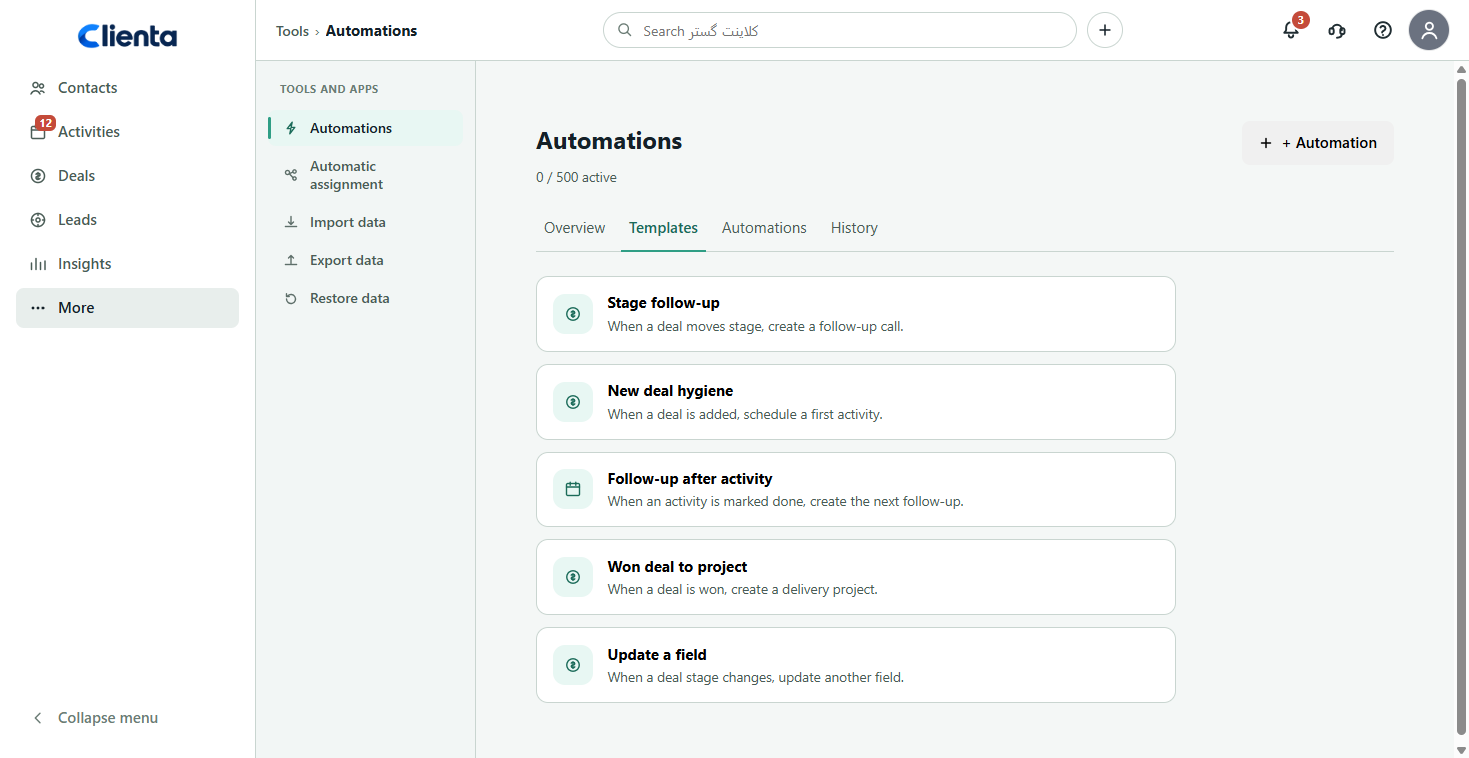
Many opportunities go cold after a proposal because manual reminders are forgotten. The CRM example here is creating the next activity automatically when a stage changes or a few days pass.
Automation does not replace the salesperson; it prevents forgetting. Good rule: automate only steps you always repeat — like “call three days after proposal”.
9. Sales connected to accounting
Sales often lives in one tool and invoices in accounting software. If the two are disconnected, customers are entered twice, line items go wrong and time is lost between winning a deal and issuing a document.
A clean local CRM example: negotiation and follow-up stay in CRM; when the deal is won, the customer and lines move into accounting. Sales focuses on the relationship; finance focuses on the document.
- Less duplicate entry of customer names.
- A shorter gap from won deal to invoice.
- Sales history stays in CRM; financial documents stay in accounting.
10. The weekly sales meeting
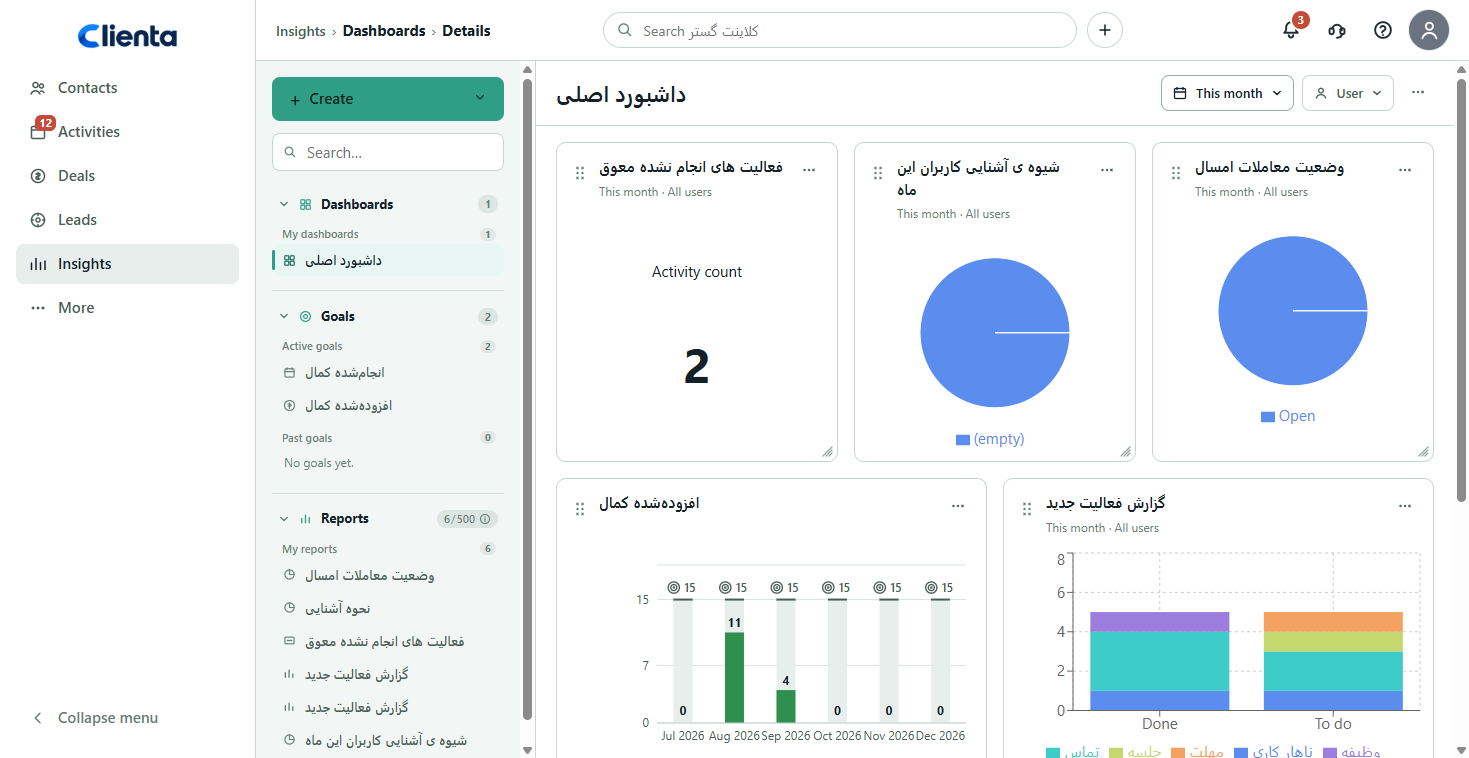
Without CRM the sales meeting starts with “what’s new?” and ends with verbal updates. The management CRM example is a manager reading stalled deals, conversion, distance to target and activity load from a dashboard before the meeting.
The meeting runs on the board and the numbers: which deal needs help, which pipeline stage leaks, and whether this month’s target matches current pipeline value.
- Less dependence on a weekend spreadsheet.
- Coaching on a specific deal, not only pressure on the team.
- Forecast from live pipeline data.
How to adapt an example to your process
Do not copy an example blindly. A competitor’s or enterprise pipeline may be too heavy for your team. Start with the closest scenario, write three to seven real stages, and make required only the fields you will need in reports later.
An example succeeds when the team logs every day. If after two weeks chat is still the source of truth, either the software is too hard or the “no deal without a next step” rule is not enforced.
- Pick one 90-day goal (for example: no lead without a call).
- Run a pilot on real deals, not only dummy data.
- Review the same metrics from your chosen example every week.
How these examples show up in Clienta
Clienta is built for these scenarios: sales pipeline, lead inbox, activities and mobile, post-sale projects, follow-up automation, manager reporting and connections to Iranian accounting tools such as Sepidar and Hesabfa.
If you want to live one example on your own data instead of only reading it, a 14-day free trial is enough to try the scenario closest to your business.